See Which Bytes Changed Between Two Files

TL;DR: Hex Compare is a free online tool that shows the byte-level differences between any two files — hex and ASCII side by side, insertions kept aligned, a change list to step through — right in your browser, no signup, nothing uploaded or transferred.For firmware, exports, save files — anywhere “binary files differ” isn't an answer.

Start Comparing Files…
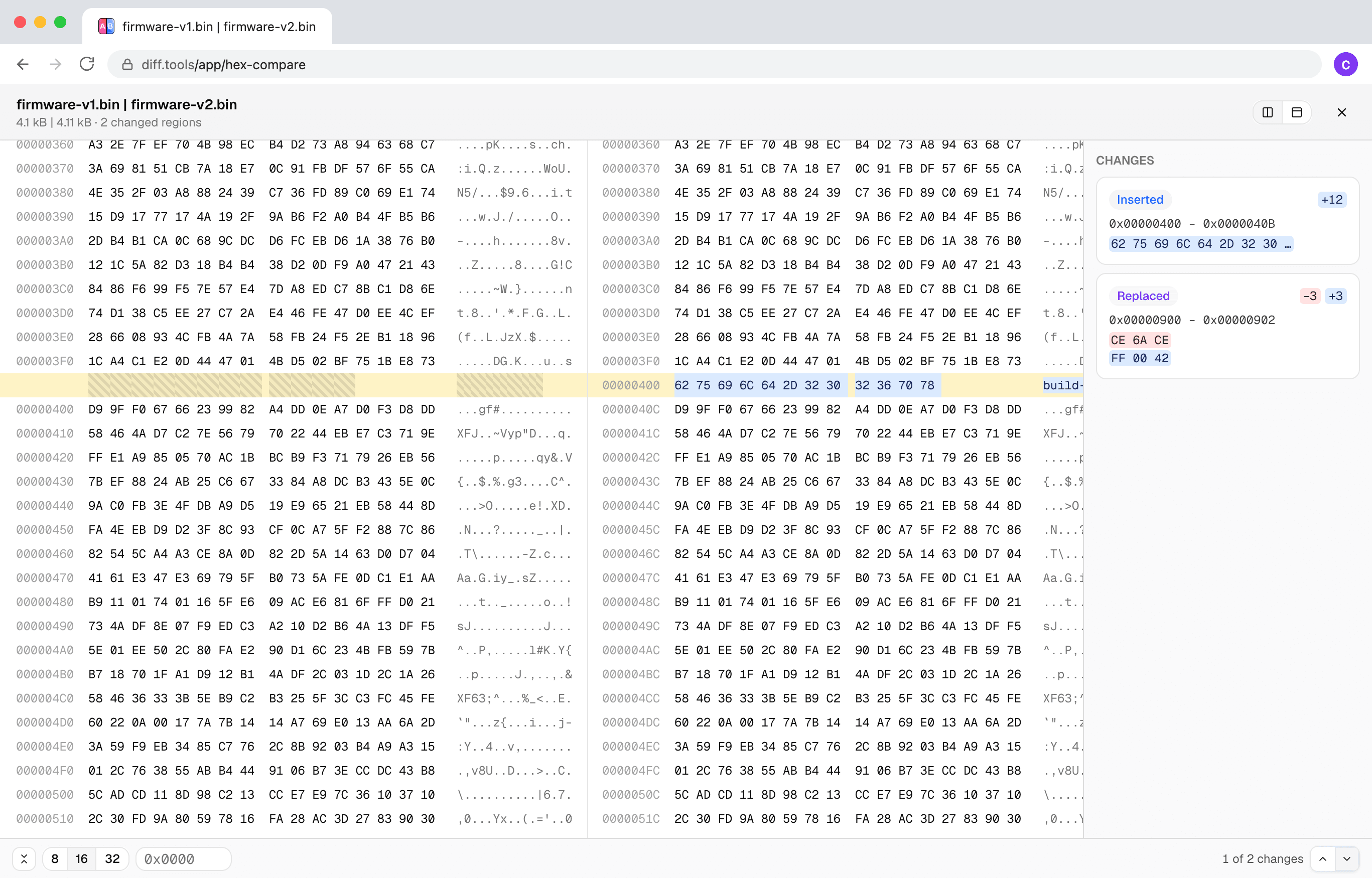
Screenshot of Hex Compare
Christopher Atlan

개발자: Christopher Atlan (Leitmotif GmbH). 2020년부터 파일 비교 도구를, 18년 넘게 소프트웨어를 만들고 있습니다. diff.tools의 아이디어는 하나입니다. 형식마다 특화된 도구가 있고, 그 결과를 다음 도구로 넘길 수 있습니다.

A quick tour

  1. An insert is an insert

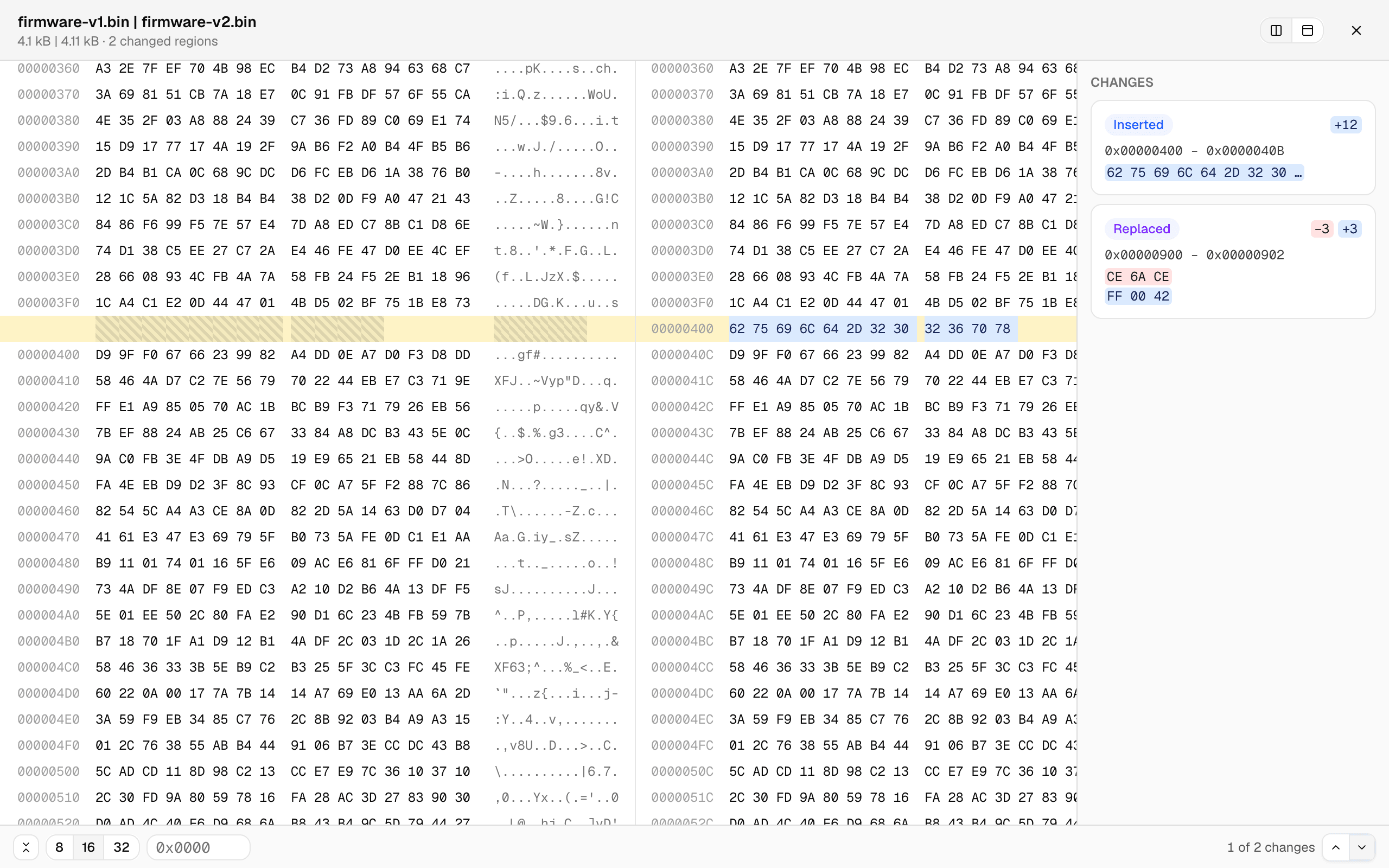
    Most byte-by-byte tools fall apart the moment a file grows by a few bytes: everything after the insertion “differs.” Here the files are aligned by content — below, 12 inserted bytes show as one small insert, the offsets diverge, and every row after still lines up.

    Two binary files side by side in hex: a 12-byte insertion highlighted at offset 0x400 with the gap hatched on the left file, rows aligned before and after
  2. A change list, not a scavenger hunt

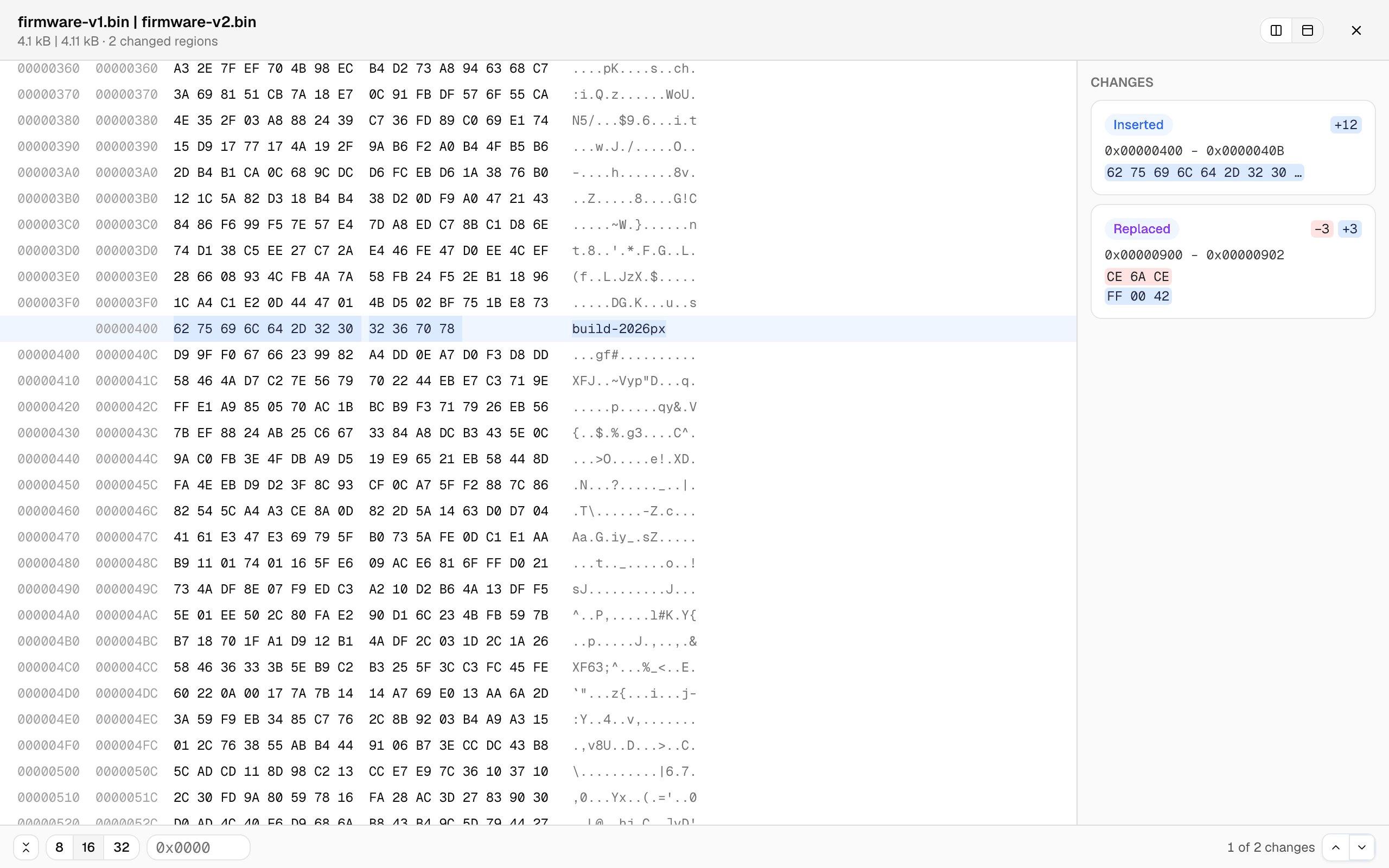
    Every changed region is a card — offset range, the bytes before and after — and clicking one jumps straight there. Or type an offset. The unified view shows both files' offsets in one aligned grid, and the row width switches between 8, 16, and 32 bytes.

    The unified byte view: dual offset columns, the inserted bytes reading 'build-2026px' in the ASCII column, and change cards listing the insert and the replaced bytes
  3. Big files stay smooth

    The comparison runs in a background worker with live progress, and only the rows on screen are rendered — so multi-megabyte files scroll like small ones. Files that turn out to be completely unrelated degrade gracefully to a coarse alignment with an honest badge instead of a hung tab.

How to compare two binary files?

  1. Open the free hex comparison tool — it runs in any current browser, on your device, no signup.

  2. Click Choose File A and pick the first file, then Choose File B for the other one. Any file type works.

  3. Step through the change list, or jump straight to an offset. Side-by-side and unified views keep the byte rows aligned even across insertions.

Frequently asked questions

  1. Does it work with large files?

    Yes. The comparison runs in a background worker with live progress, and the byte grid only renders what’s on screen — multi-megabyte files stay smooth.

  2. Are my files uploaded?

    No. The comparison runs entirely in your browser; file contents never leave your device.

  3. Can it edit bytes?

    No — it’s a comparer, not a hex editor. It shows you what changed; it never touches your files.

  4. Which browsers are supported?

    Any current browser — Chrome, Edge, Firefox, and Safari all work.

Requirements

Any current browser.

개인정보 보호 및 데이터 처리

개인정보 보호와 보안은 단순히 바라는 것이 아니라 요구해야 하는 것입니다. 최신 브라우저를 사용하면 기기에서 직접 모든 것을 처리할 수 있으므로 파일을 업로드하거나 전송하거나 공유하지 않습니다.

귀하의 파일은 완전히 비공개로 유지됩니다. 모든 비교는 브라우저에서 로컬로 진행됩니다. 귀하의 데이터는 귀하의 소유입니다.

LeitmotifChristopher Atlan
+2

도구를 만드는 팀

저희는 알프스 지역(오스트리아 케른텐과 독일 바이에른)에 있는 작은 회사 Leitmotif입니다. 파일 비교가 저희의 일상입니다. Mac용 diff 앱인 Kaleidoscope를 만들고 있으며, diff.tools는 그 경험을 브라우저로 가져온 것입니다.

저희는 전문 도구라면 보기에 아름답고 쓰기에 즐거우면서도, 일을 끝내는 데 필요한 모든 기능을 갖춰야 한다고 믿습니다. 그리고 저희는 여러분의 파일을 너무나 소중히 여기기에 절대 업로드하지 않습니다. 여기의 모든 것은 여러분의 컴퓨터에서 실행됩니다.

Feedback

We're constantly improving our free online hex comparison to make it faster and more accurate. Share your feedback and help us understand what kind of files you compare.

이 페이지 공유

FacebookLinkedInRedditLINETelegramWhatsApp