See Which Bytes Changed Between Two Files

TL;DR: Hex Compare is a free online tool that shows the byte-level differences between any two files — hex and ASCII side by side, insertions kept aligned, a change list to step through — right in your browser, no signup, nothing uploaded or transferred.For firmware, exports, save files — anywhere “binary files differ” isn't an answer.

Start Comparing Files…
Screenshot of Hex Compare
Christopher Atlan

Creado por Christopher Atlan en Leitmotif GmbH. Construye herramientas de comparación de archivos desde 2020, y software desde hace más de 18 años. diff.tools es una idea: una herramienta especializada para cada formato, con resultados que puede pasar de una herramienta a la siguiente.

A quick tour

  1. An insert is an insert

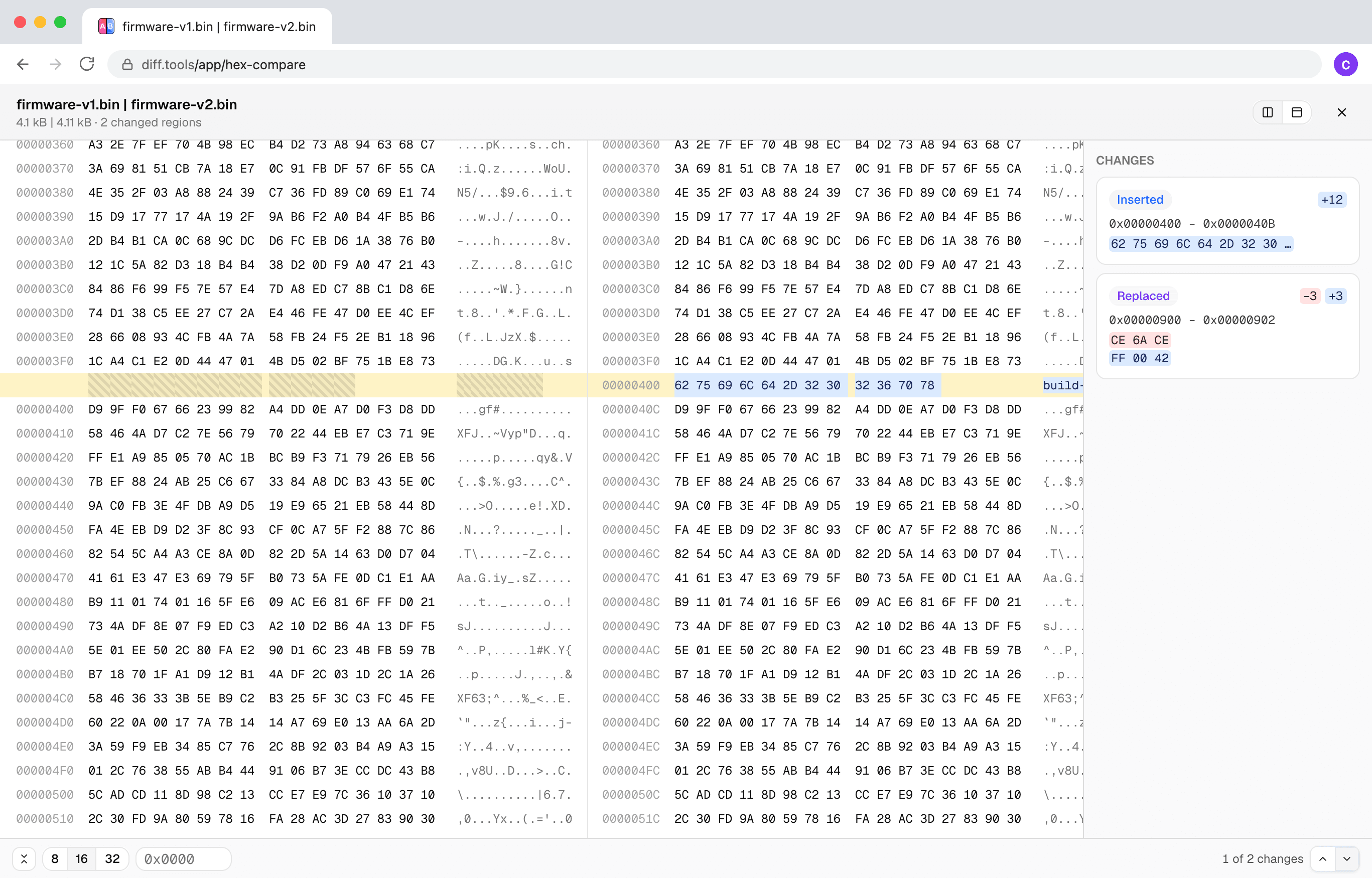
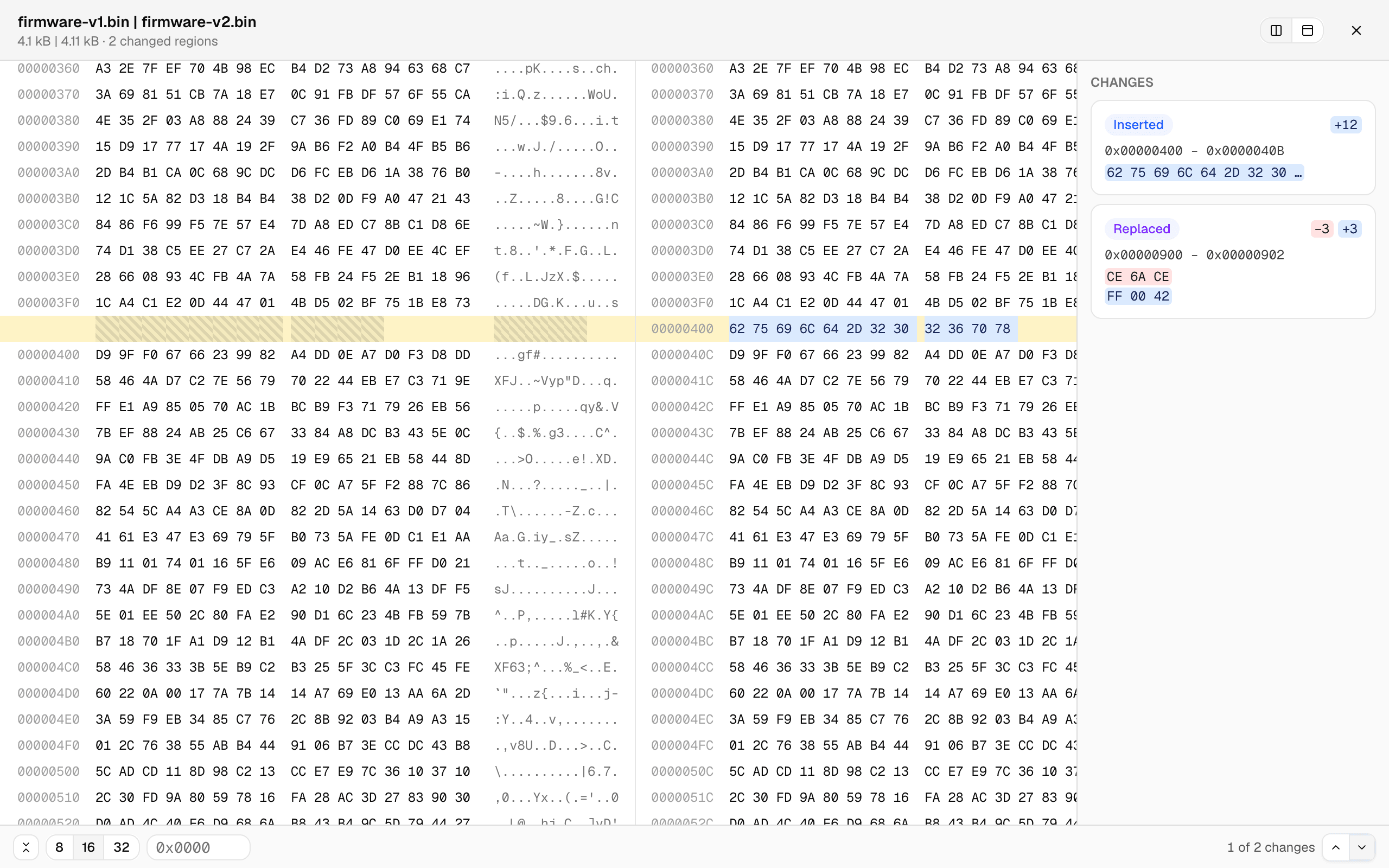
    Most byte-by-byte tools fall apart the moment a file grows by a few bytes: everything after the insertion “differs.” Here the files are aligned by content — below, 12 inserted bytes show as one small insert, the offsets diverge, and every row after still lines up.

    Two binary files side by side in hex: a 12-byte insertion highlighted at offset 0x400 with the gap hatched on the left file, rows aligned before and after
  2. A change list, not a scavenger hunt

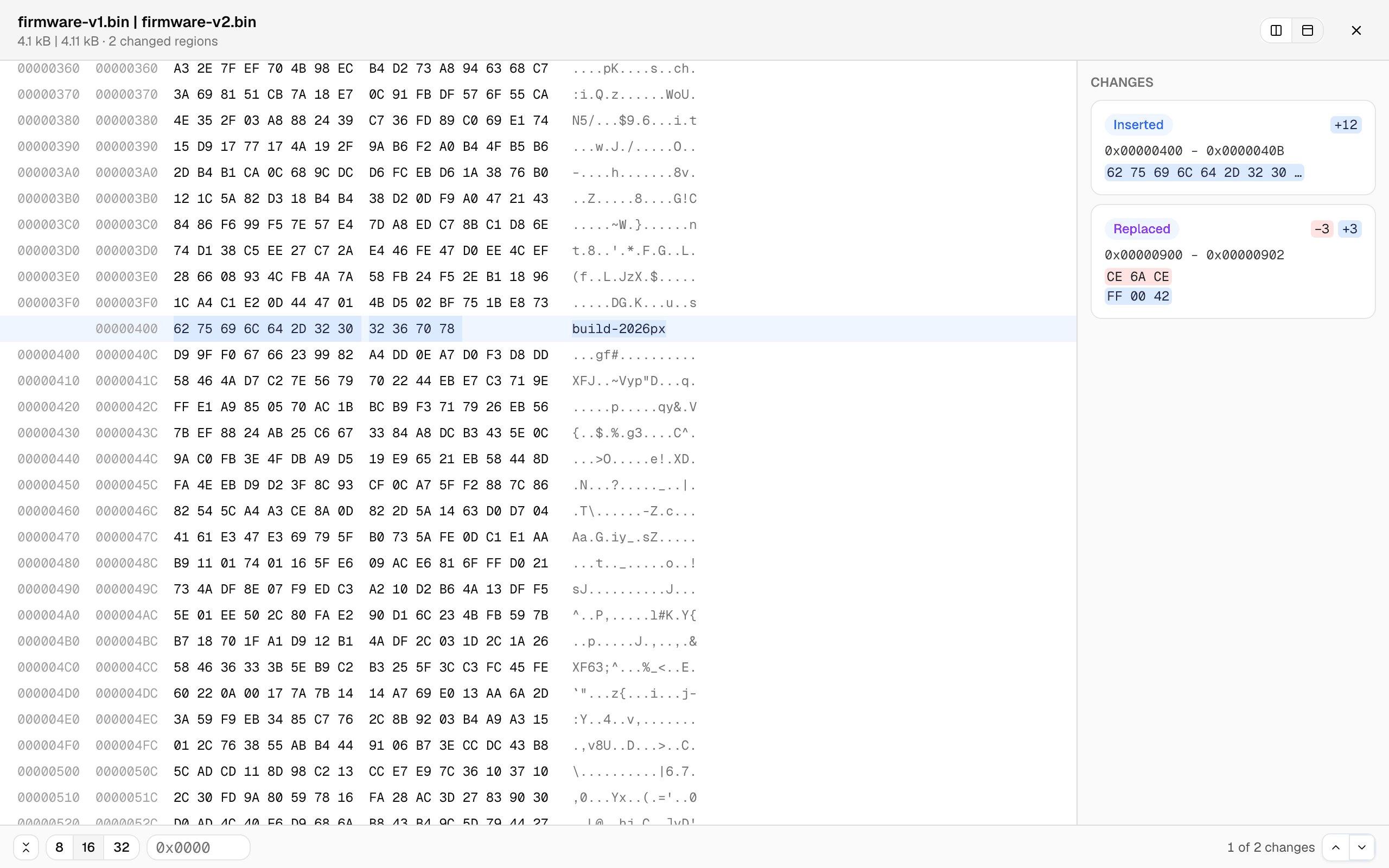
    Every changed region is a card — offset range, the bytes before and after — and clicking one jumps straight there. Or type an offset. The unified view shows both files' offsets in one aligned grid, and the row width switches between 8, 16, and 32 bytes.

    The unified byte view: dual offset columns, the inserted bytes reading 'build-2026px' in the ASCII column, and change cards listing the insert and the replaced bytes
  3. Big files stay smooth

    The comparison runs in a background worker with live progress, and only the rows on screen are rendered — so multi-megabyte files scroll like small ones. Files that turn out to be completely unrelated degrade gracefully to a coarse alignment with an honest badge instead of a hung tab.

How to compare two binary files?

  1. Open the free hex comparison tool — it runs in any current browser, on your device, no signup.

  2. Click Choose File A and pick the first file, then Choose File B for the other one. Any file type works.

  3. Step through the change list, or jump straight to an offset. Side-by-side and unified views keep the byte rows aligned even across insertions.

Frequently asked questions

  1. Does it work with large files?

    Yes. The comparison runs in a background worker with live progress, and the byte grid only renders what’s on screen — multi-megabyte files stay smooth.

  2. Are my files uploaded?

    No. The comparison runs entirely in your browser; file contents never leave your device.

  3. Can it edit bytes?

    No — it’s a comparer, not a hex editor. It shows you what changed; it never touches your files.

  4. Which browsers are supported?

    Any current browser — Chrome, Edge, Firefox, and Safari all work.

Requirements

Any current browser.

Privacidad y Procesamiento de Datos

La privacidad y la seguridad no son solo algo que debería esperar, son algo que debería exigir. Los navegadores modernos nos permiten procesar todo directamente en su dispositivo, lo que significa que nunca cargamos, transferimos ni compartimos sus archivos.

Sus archivos permanecen completamente privados. Todas las comparaciones se realizan localmente en su navegador. Sus datos siguen siendo solo suyos.

LeitmotifChristopher Atlan
+2

El equipo detrás de la herramienta

Somos Leitmotif, una pequeña empresa de los Alpes: Carintia (Austria) y Baviera (Alemania). La comparación de archivos es nuestro día a día: creamos Kaleidoscope, la app de diff para Mac, y diff.tools lleva esa experiencia al navegador.

Creemos que las herramientas profesionales deben ser bonitas de ver y divertidas de usar, dándole a la vez toda la potencia que necesita para hacer su trabajo. Y respetamos demasiado sus archivos como para subirlos jamás: todo aquí se ejecuta en su máquina.

Feedback

We're constantly improving our free online hex comparison to make it faster and more accurate. Share your feedback and help us understand what kind of files you compare.

Compartir esta página

FacebookLinkedInRedditLINETelegramWhatsApp