See Which Bytes Changed Between Two Files
TL;DR: Hex Compare is a free online tool that shows the byte-level differences between any two files — hex and ASCII side by side, insertions kept aligned, a change list to step through — right in your browser, no signup, nothing uploaded or transferred.For firmware, exports, save files — anywhere “binary files differ” isn't an answer.
Start Comparing Files…
开发者: Christopher Atlan(Leitmotif GmbH)。 自 2020 年起打造文件比较工具,软件开发经验超过 18 年。 diff.tools 只有一个理念:每种格式一款专注的工具,比较结果可以交给下一款工具继续处理。
A quick tour
An insert is an insert
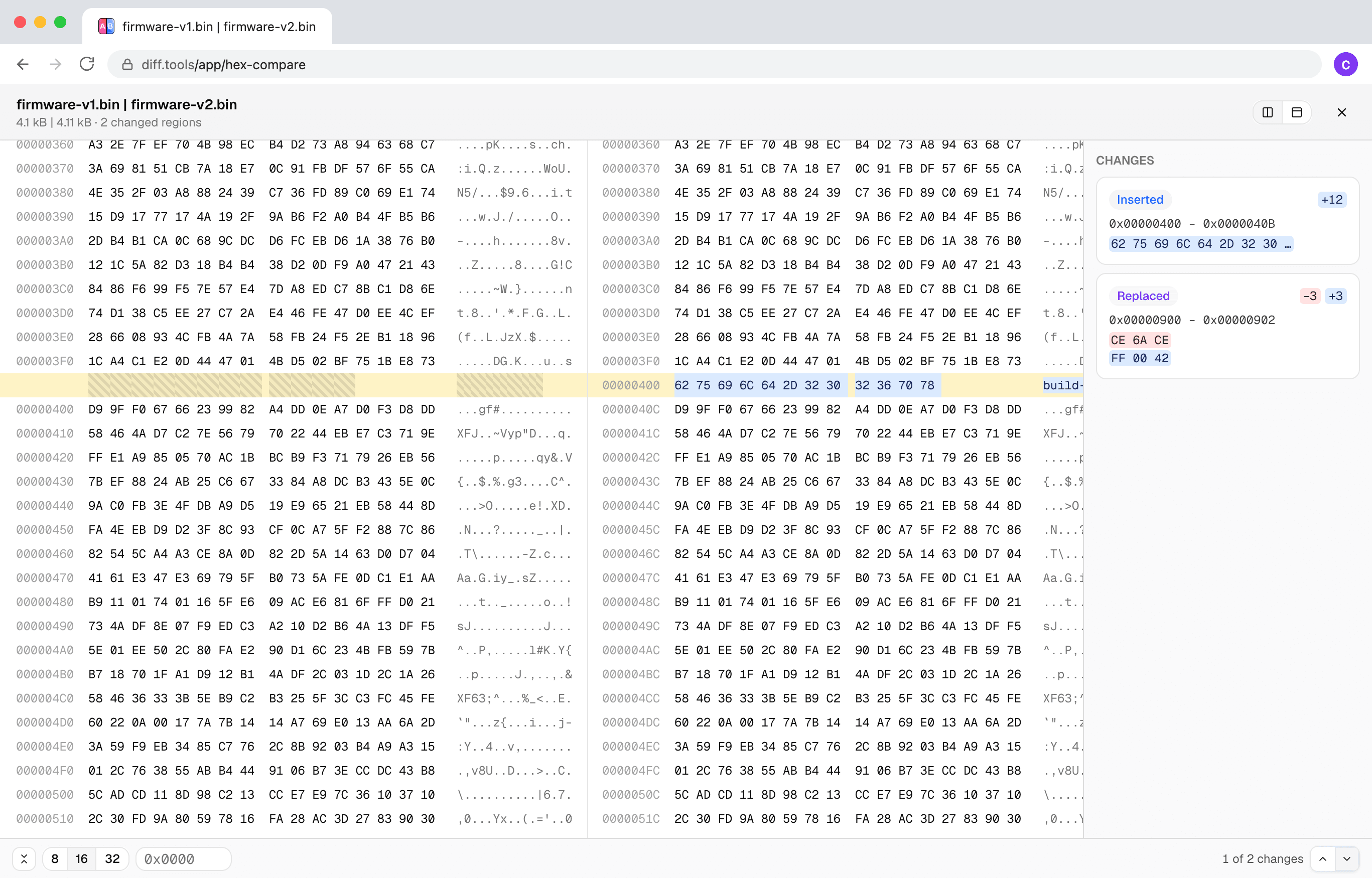
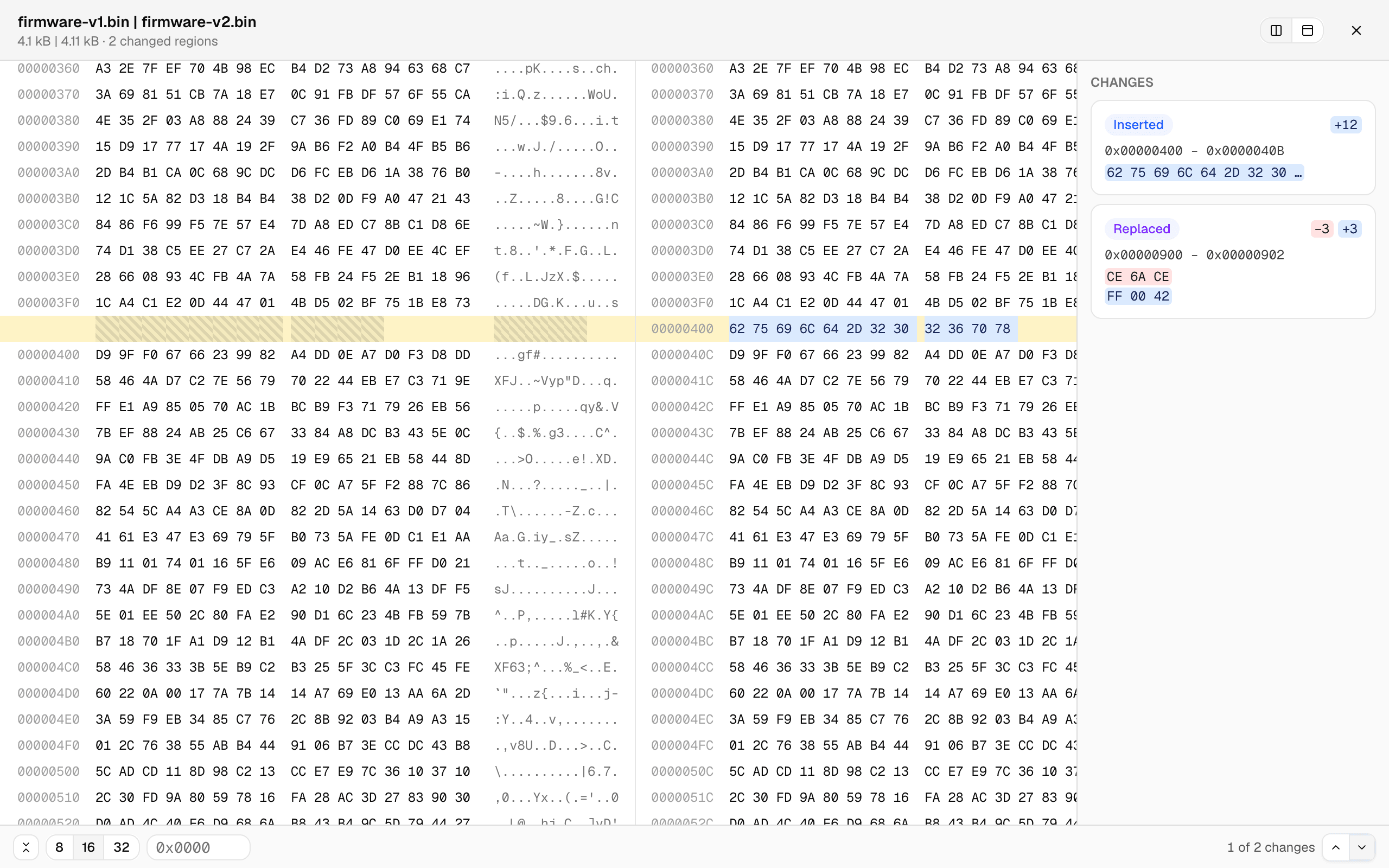
Most byte-by-byte tools fall apart the moment a file grows by a few bytes: everything after the insertion “differs.” Here the files are aligned by content — below, 12 inserted bytes show as one small insert, the offsets diverge, and every row after still lines up.

A change list, not a scavenger hunt
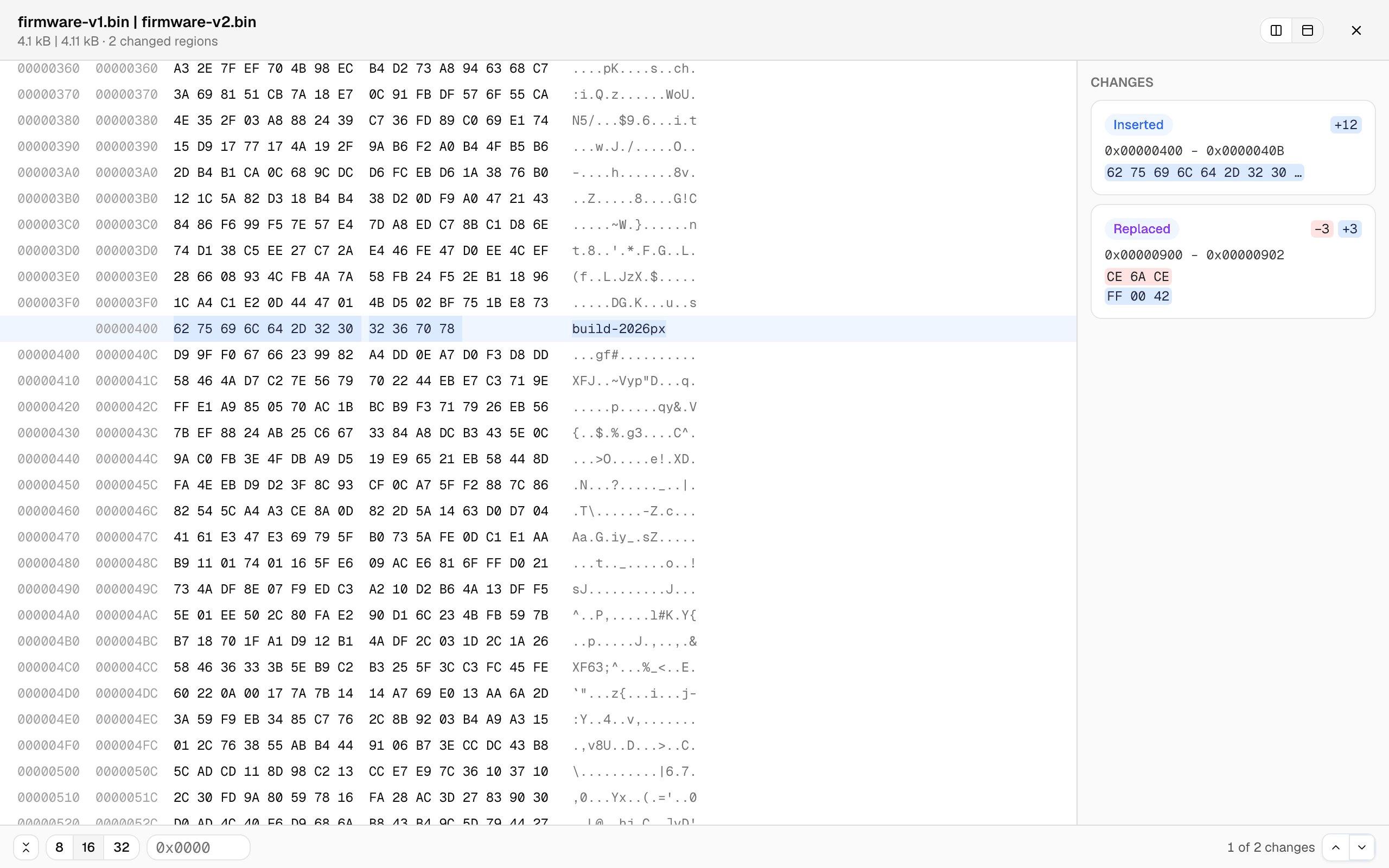
Every changed region is a card — offset range, the bytes before and after — and clicking one jumps straight there. Or type an offset. The unified view shows both files' offsets in one aligned grid, and the row width switches between 8, 16, and 32 bytes.

Big files stay smooth
The comparison runs in a background worker with live progress, and only the rows on screen are rendered — so multi-megabyte files scroll like small ones. Files that turn out to be completely unrelated degrade gracefully to a coarse alignment with an honest badge instead of a hung tab.