Vedi quali byte sono cambiati tra due file
TL;DR: Hex Compare è uno strumento gratuito online che mostra le differenze a livello di byte tra due file qualsiasi — hex e ASCII affiancati, inserzioni mantenute allineate, un elenco delle modifiche da scorrere — direttamente nel tuo browser, senza registrazione, nulla viene caricato o trasferito.Per firmware, esportazioni, salvataggi — ovunque “i file binari differiscono” non sia una risposta.
Inizia a confrontare i file…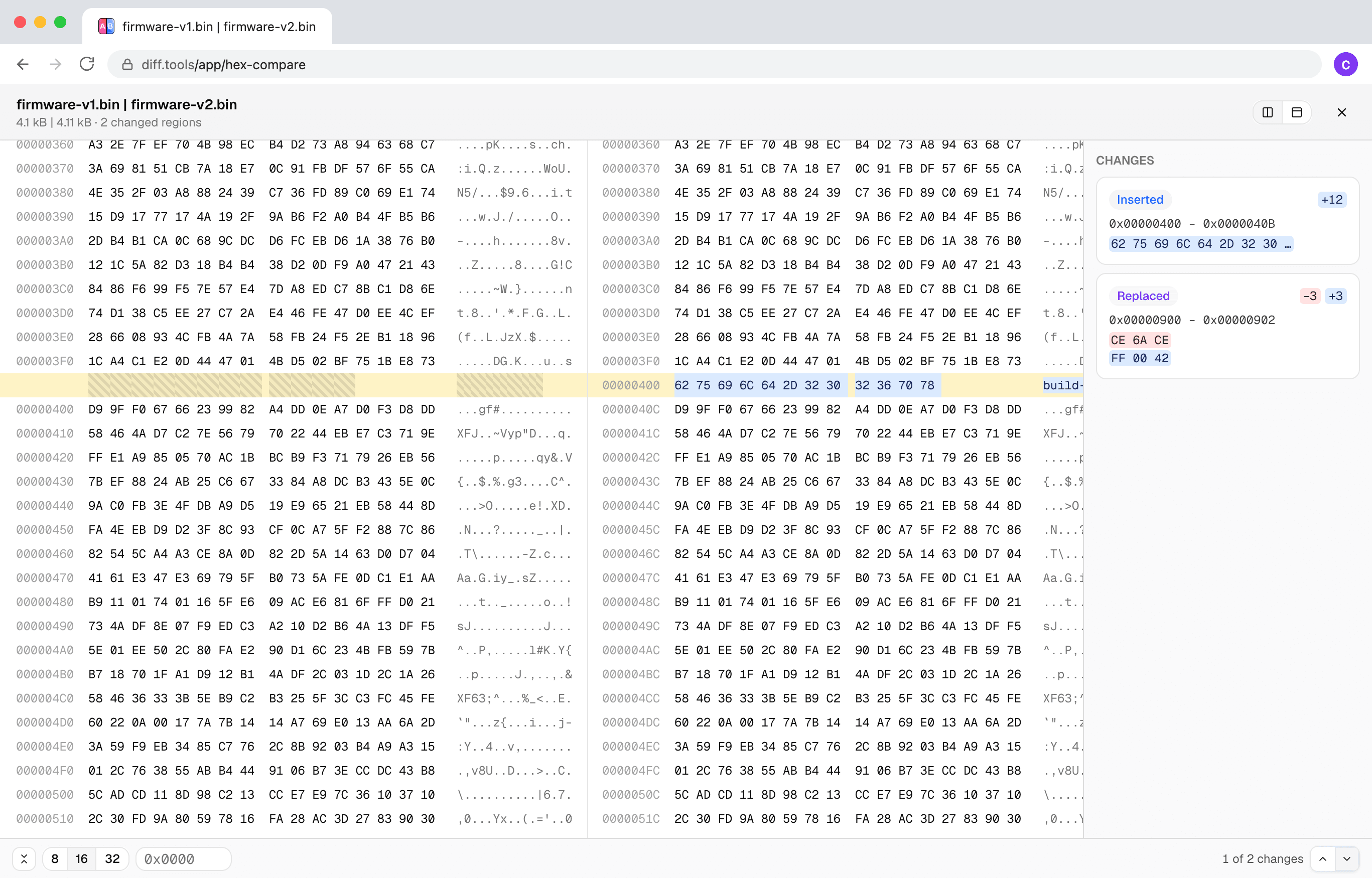

Creato da Christopher Atlan presso Leitmotif GmbH. Costruisce strumenti di confronto file dal 2020, e software da oltre 18 anni. diff.tools è un'idea: uno strumento dedicato per ogni formato, con risultati che puoi passare da uno strumento all'altro.
Un rapido tour
Un'inserzione è un'inserzione
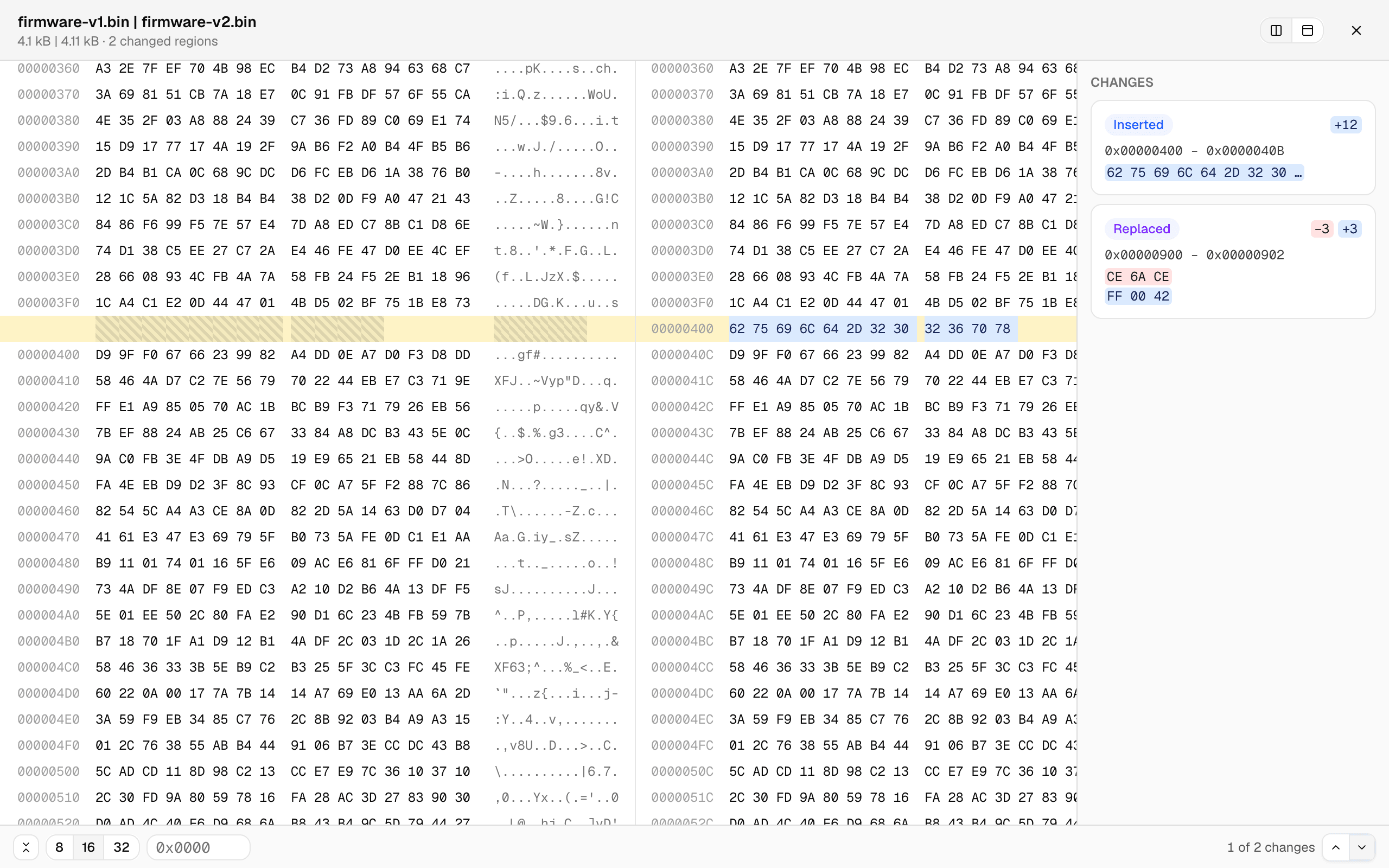
La maggior parte degli strumenti byte per byte crolla non appena un file cresce di qualche byte: tutto ciò che segue l'inserzione “differisce”. Qui i file vengono allineati in base al contenuto — qui sotto, 12 byte inseriti appaiono come una piccola inserzione, gli offset divergono e ogni riga successiva resta allineata.
Un elenco delle modifiche, non una caccia al tesoro
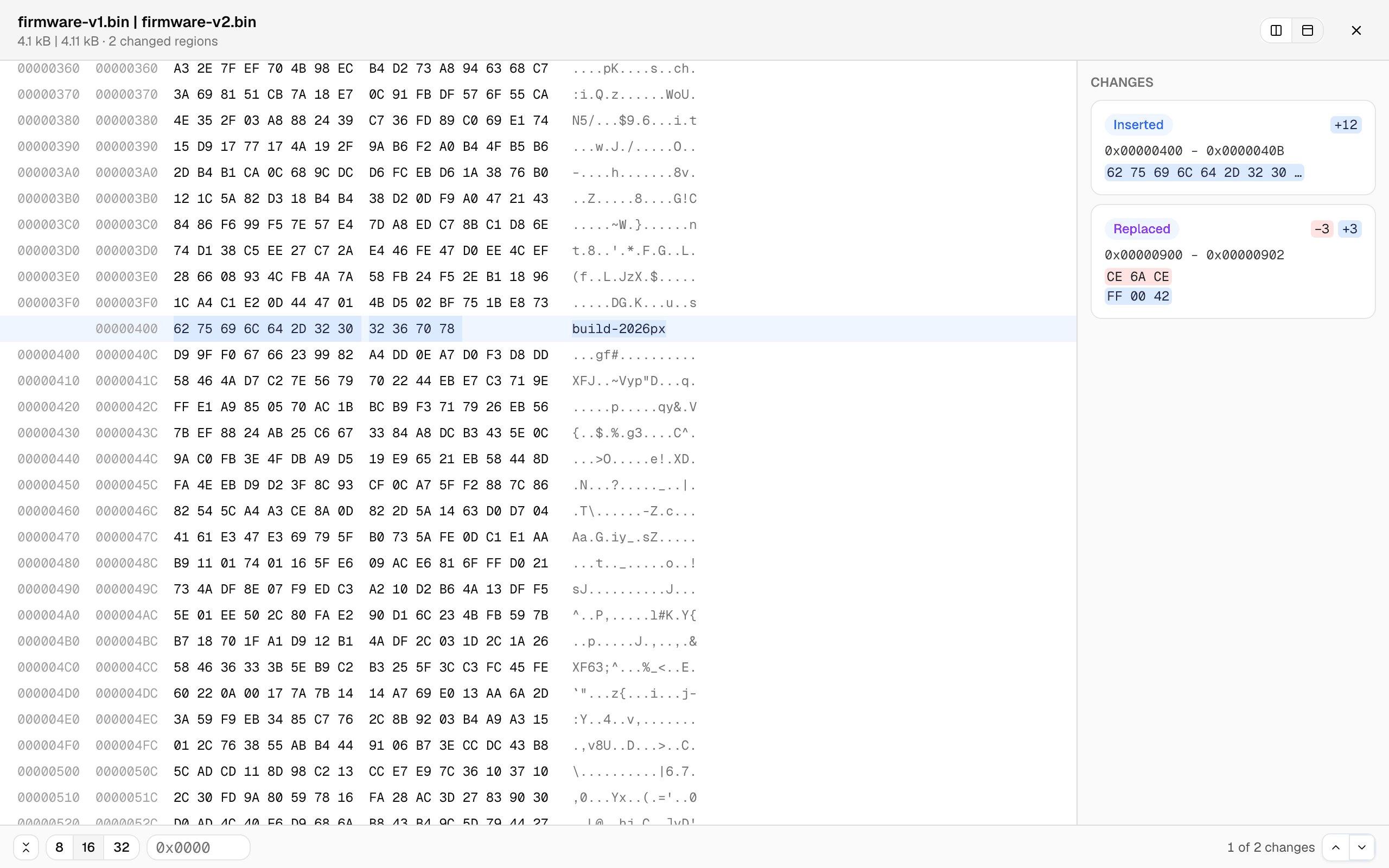
Ogni regione modificata è una scheda — intervallo di offset, i byte prima e dopo — e con un clic salti direttamente lì. Oppure digita un offset. La vista unificata mostra gli offset di entrambi i file in un'unica griglia allineata, e la larghezza di riga passa tra 8, 16 e 32 byte.
I file grandi restano fluidi
Il confronto gira in un worker in background con avanzamento in tempo reale, e vengono renderizzate solo le righe visibili — i file da molti megabyte scorrono come quelli piccoli. Se due file risultano del tutto scorrelati, il confronto ripiega con garbo su un allineamento approssimativo con un avviso onesto, invece di una scheda bloccata.