Sehen Sie, welche Bytes sich zwischen zwei Dateien geändert haben
TL;DR: Hex Compare ist ein kostenloses Online-Tool, das die Unterschiede zwischen zwei beliebigen Dateien auf Byte-Ebene zeigt – Hex und ASCII nebeneinander, Einfügungen bleiben ausgerichtet, eine Änderungsliste zum Durchgehen – direkt in Ihrem Browser, ohne Anmeldung, nichts wird hochgeladen oder übertragen.Für Firmware, Exporte, Spielstände – überall dort, wo „Binärdateien unterscheiden sich“ keine Antwort ist.
Dateien vergleichen starten…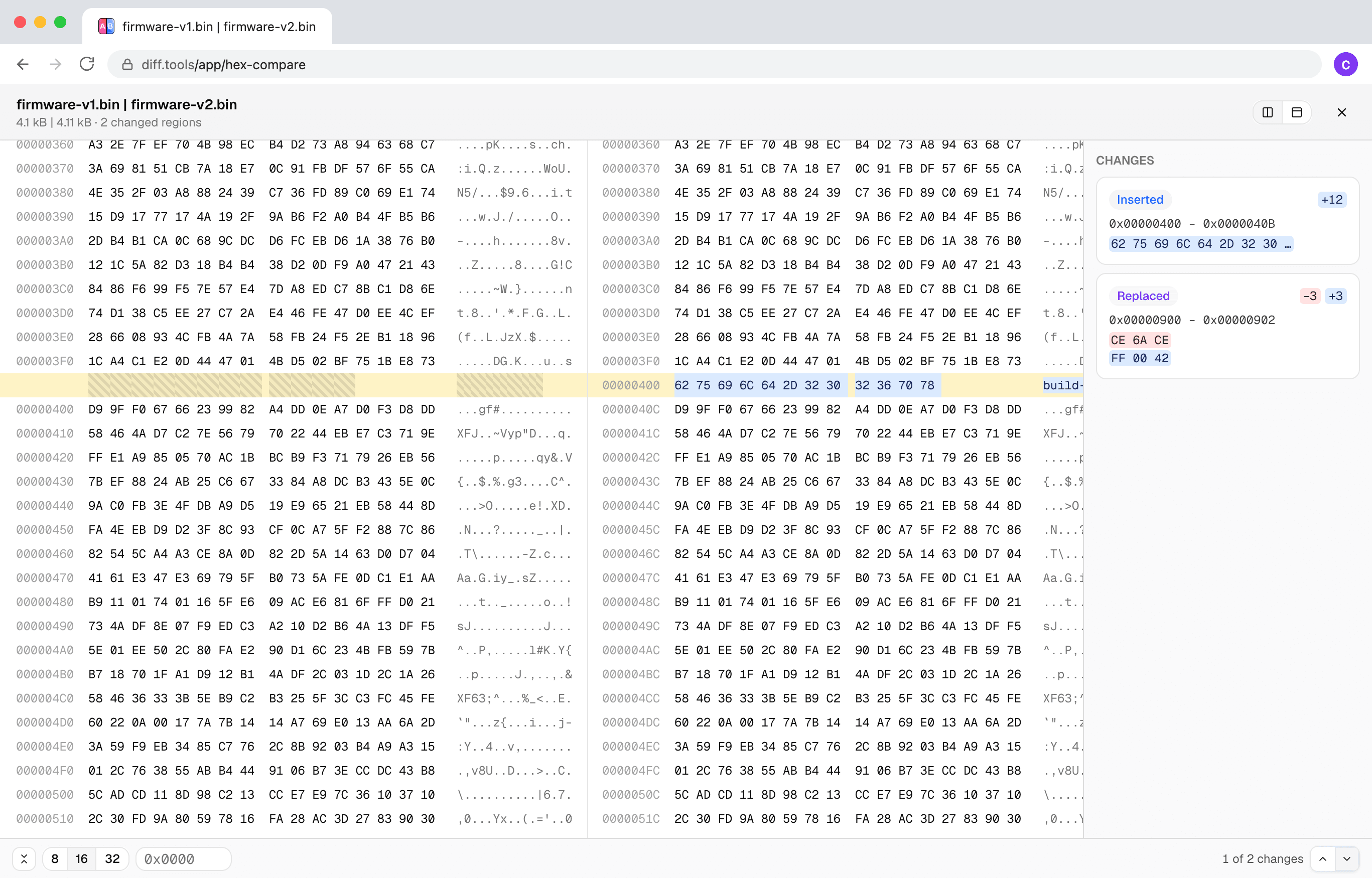

Entwickelt von Christopher Atlan bei Leitmotif GmbH. Baut seit 2020 Werkzeuge zum Dateivergleich – und seit über 18 Jahren Software. diff.tools ist eine Idee: ein fokussiertes Tool pro Format, mit Ergebnissen, die Sie von einem Tool ans nächste weiterreichen können.
Ein kurzer Rundgang
Eine Einfügung ist eine Einfügung
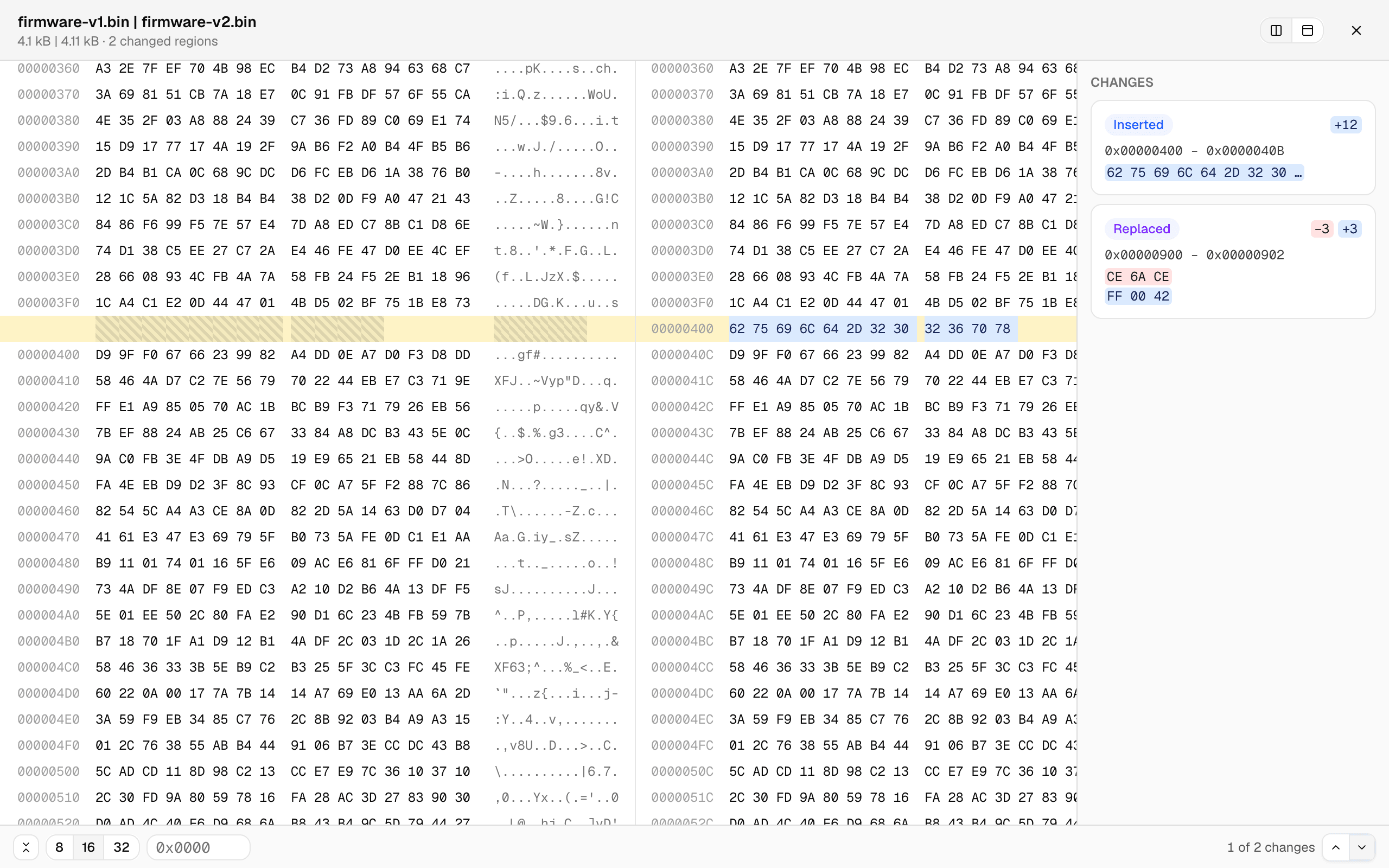
Die meisten Byte-für-Byte-Tools scheitern, sobald eine Datei um ein paar Bytes wächst: Alles nach der Einfügung „unterscheidet sich“. Hier werden die Dateien nach Inhalt ausgerichtet – unten erscheinen 12 eingefügte Bytes als eine kleine Einfügung, die Offsets gehen auseinander, und jede Zeile danach bleibt ausgerichtet.
Eine Änderungsliste statt einer Schnitzeljagd
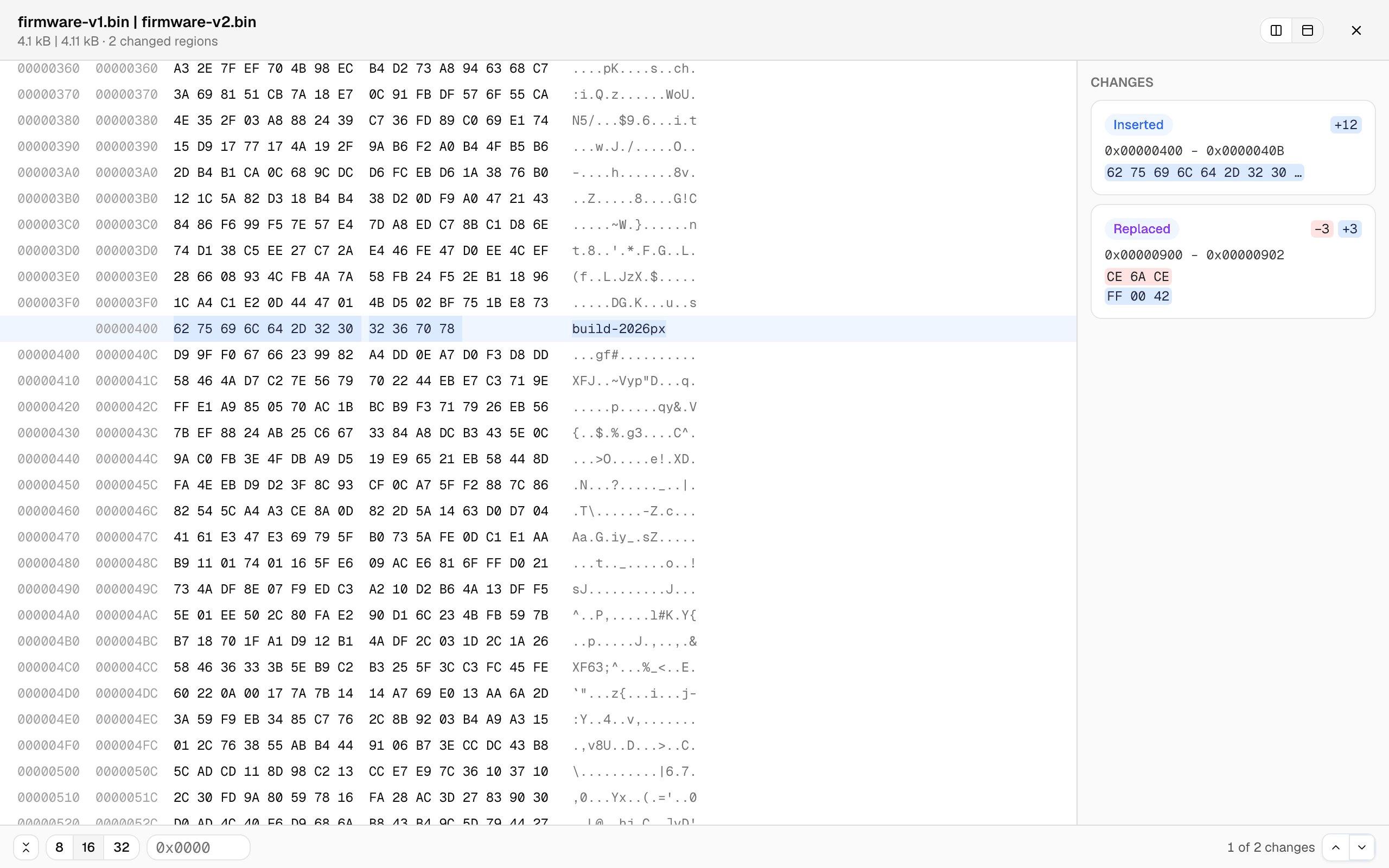
Jeder geänderte Bereich ist eine Karte – Offset-Bereich, die Bytes vorher und nachher – und ein Klick springt direkt dorthin. Oder Sie geben einen Offset ein. Die vereinheitlichte Ansicht zeigt die Offsets beider Dateien in einem ausgerichteten Raster, und die Zeilenbreite lässt sich zwischen 8, 16 und 32 Bytes umschalten.
Große Dateien bleiben flüssig
Der Vergleich läuft in einem Hintergrund-Worker mit Live-Fortschritt, und nur die sichtbaren Zeilen werden gerendert – Dateien mit mehreren Megabyte scrollen wie kleine. Stellen sich zwei Dateien als völlig verschieden heraus, fällt der Vergleich sauber auf eine grobe Ausrichtung mit einem ehrlichen Hinweis zurück, statt den Tab einzufrieren.