See What Changed Between Two Images

TL;DR: Image Compare is a free online tool that shows the differences between two images — synced side-by-side views, a split divider, perceptual difference maps, detected change regions, even an EXIF metadata diff — right in your browser, no signup, nothing uploaded or transferred.Great for two exports of a design, before/after screenshots, or two shots of the same scene.

Start Comparing Images…
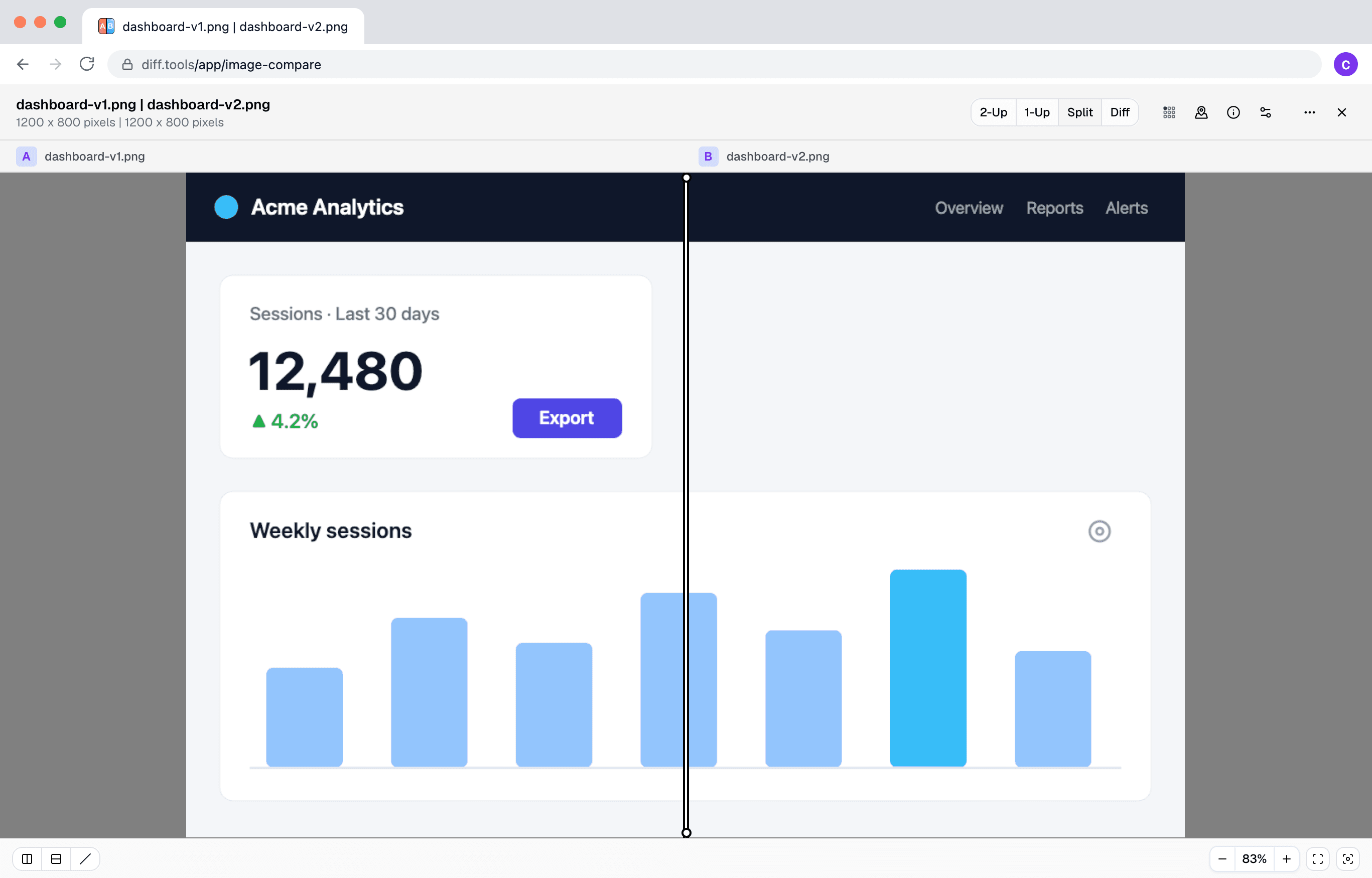
Screenshot of Image Compare
Christopher Atlan

Built by Christopher Atlan at Leitmotif GmbH. Making file-comparison tools since 2020 — building software for over 18 years. diff.tools is one idea: a focused tool for each format, with results you can hand from one tool to the next.

A quick tour

  1. Four ways to look at a pair

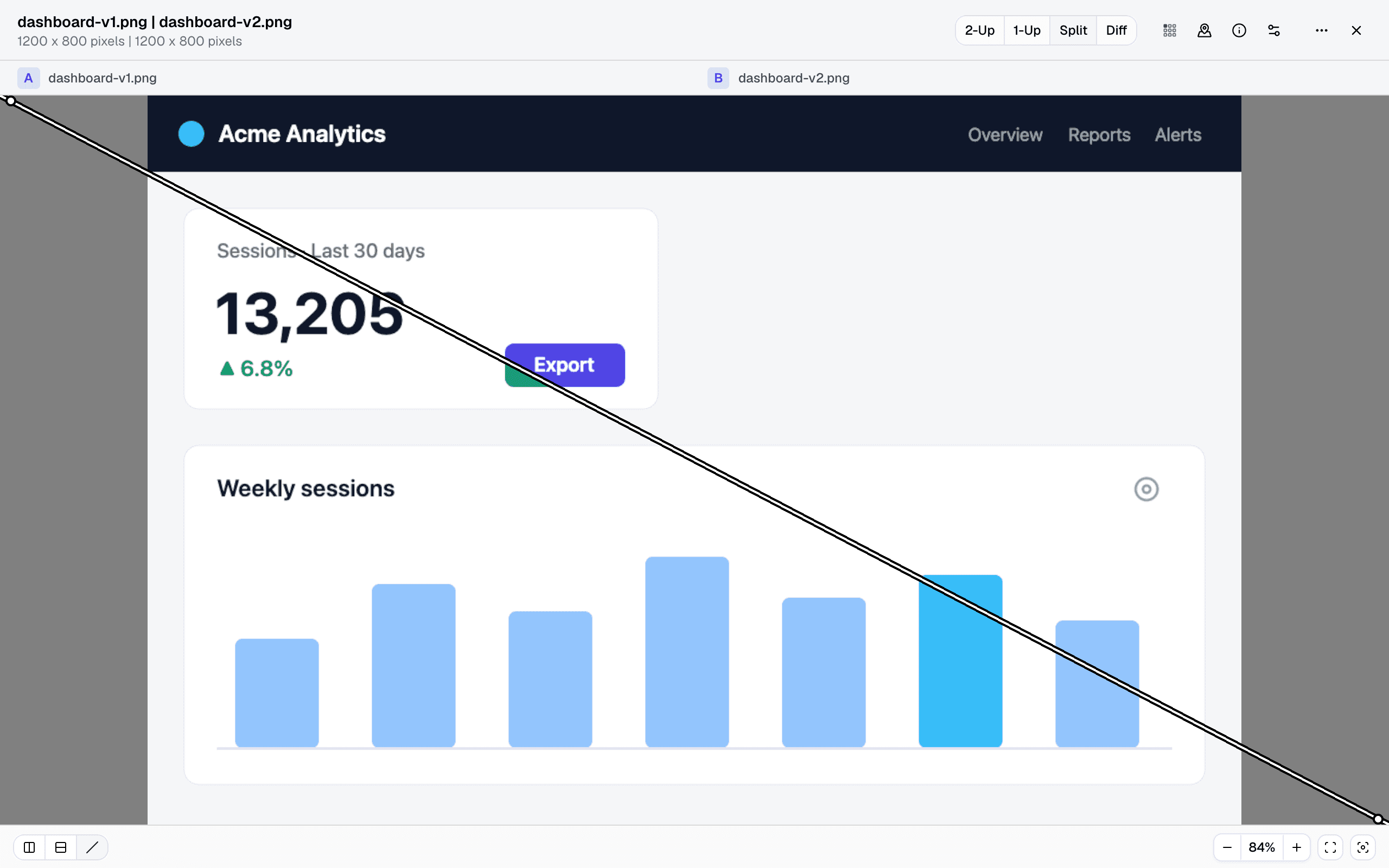
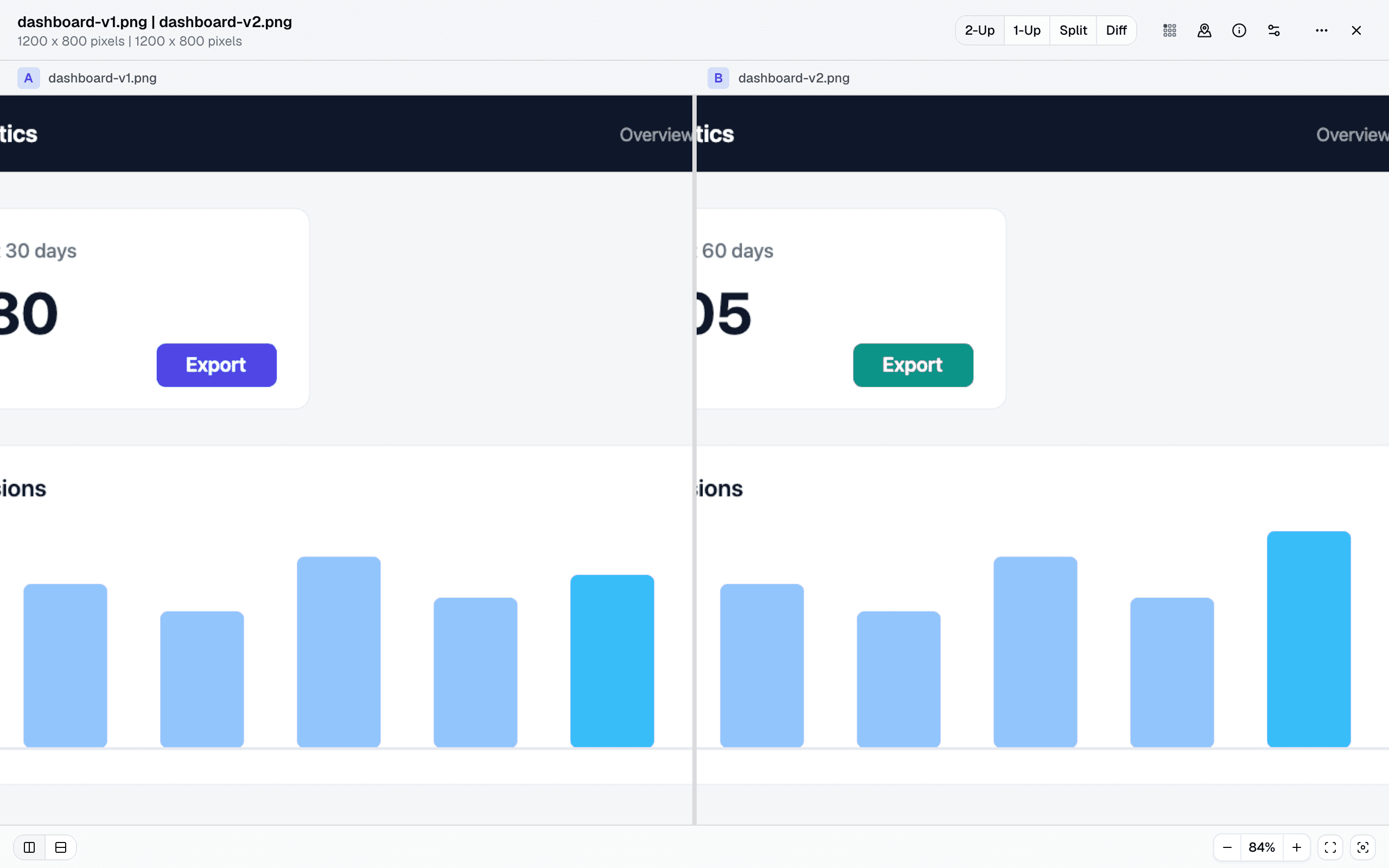
    Two-up in lockstep, a blink comparator that flips one image over the other, a split view with a draggable divider — vertical, horizontal, or diagonal — and a difference view. Zoom and pan stay synchronized in every mode, down to the pixel.
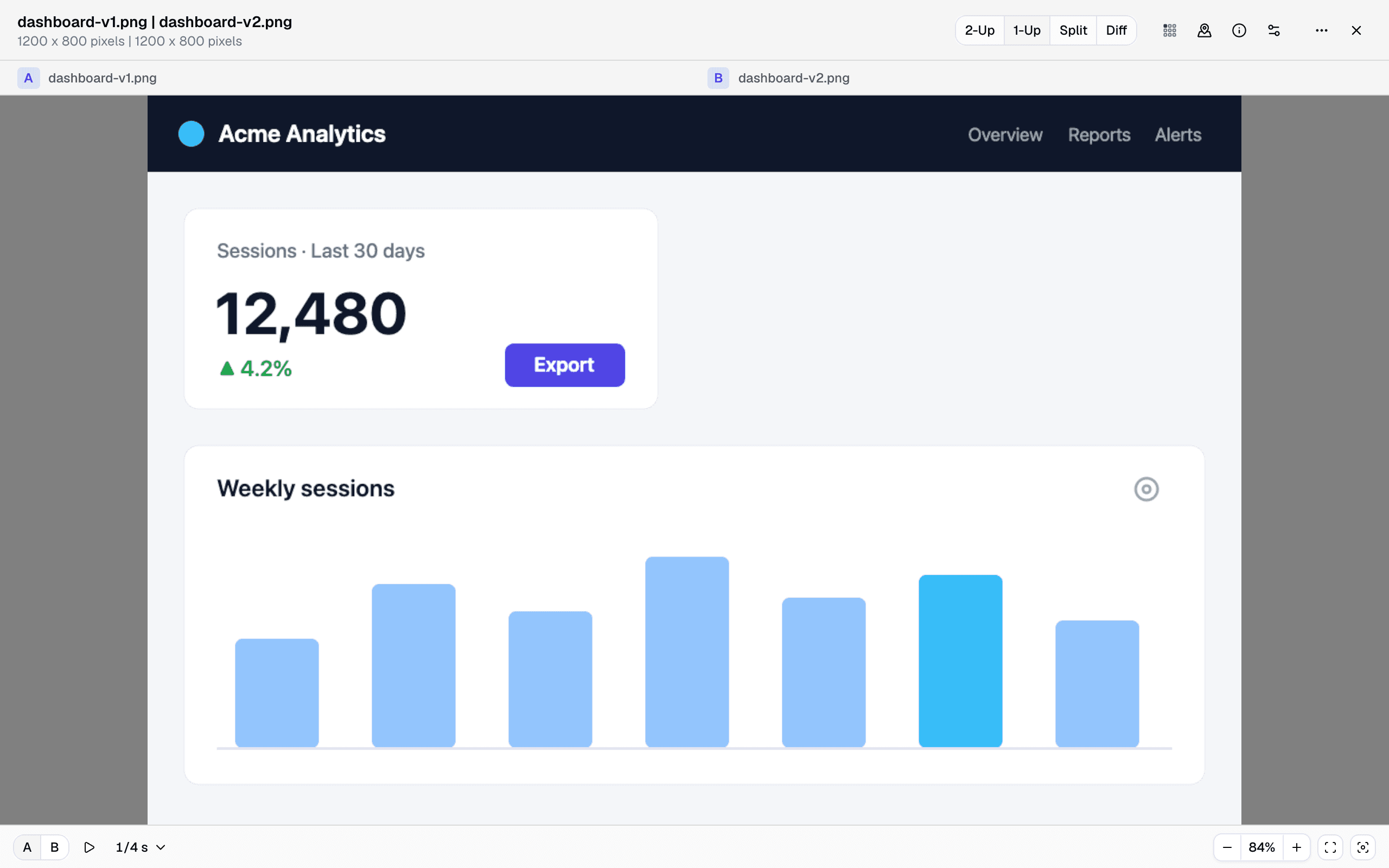
    Split view with a diagonal divider: version A above the line, version B below — the recolored button sits right on the seam
    Two exports of a dashboard — the same pair in each mode.
  2. Changes found for you

    Regions of difference are detected in a background worker and listed — step through them one by one instead of scanning the image yourself. A threshold slider and a minimum-region size keep the list meaningful, and the two-pixel icon shift you would never spot still makes the list.
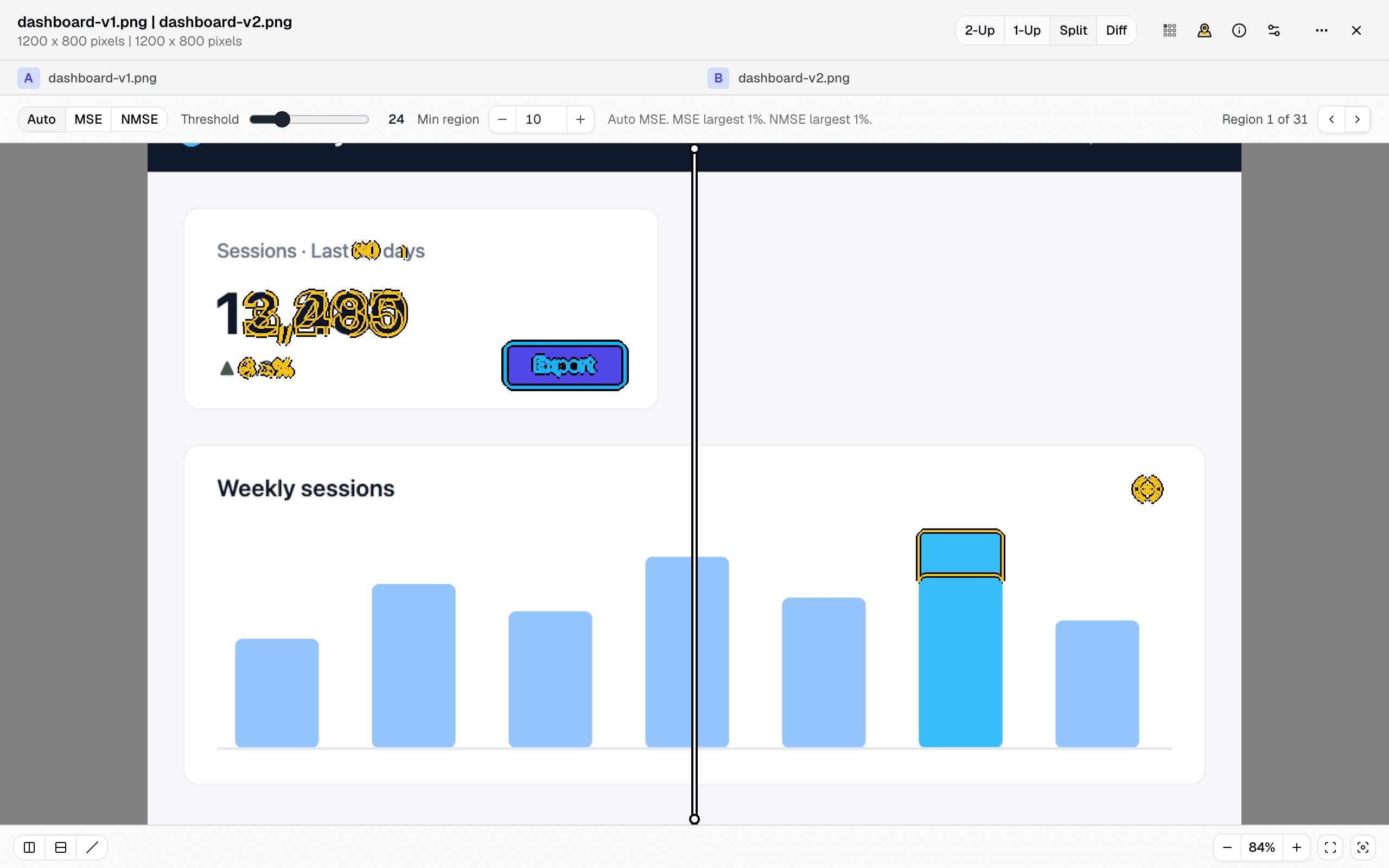
    The same comparison with the Regions of Difference bar open: 31 detected regions, threshold and minimum-size controls, changed pixels outlined
  3. Metrics instead of squinting

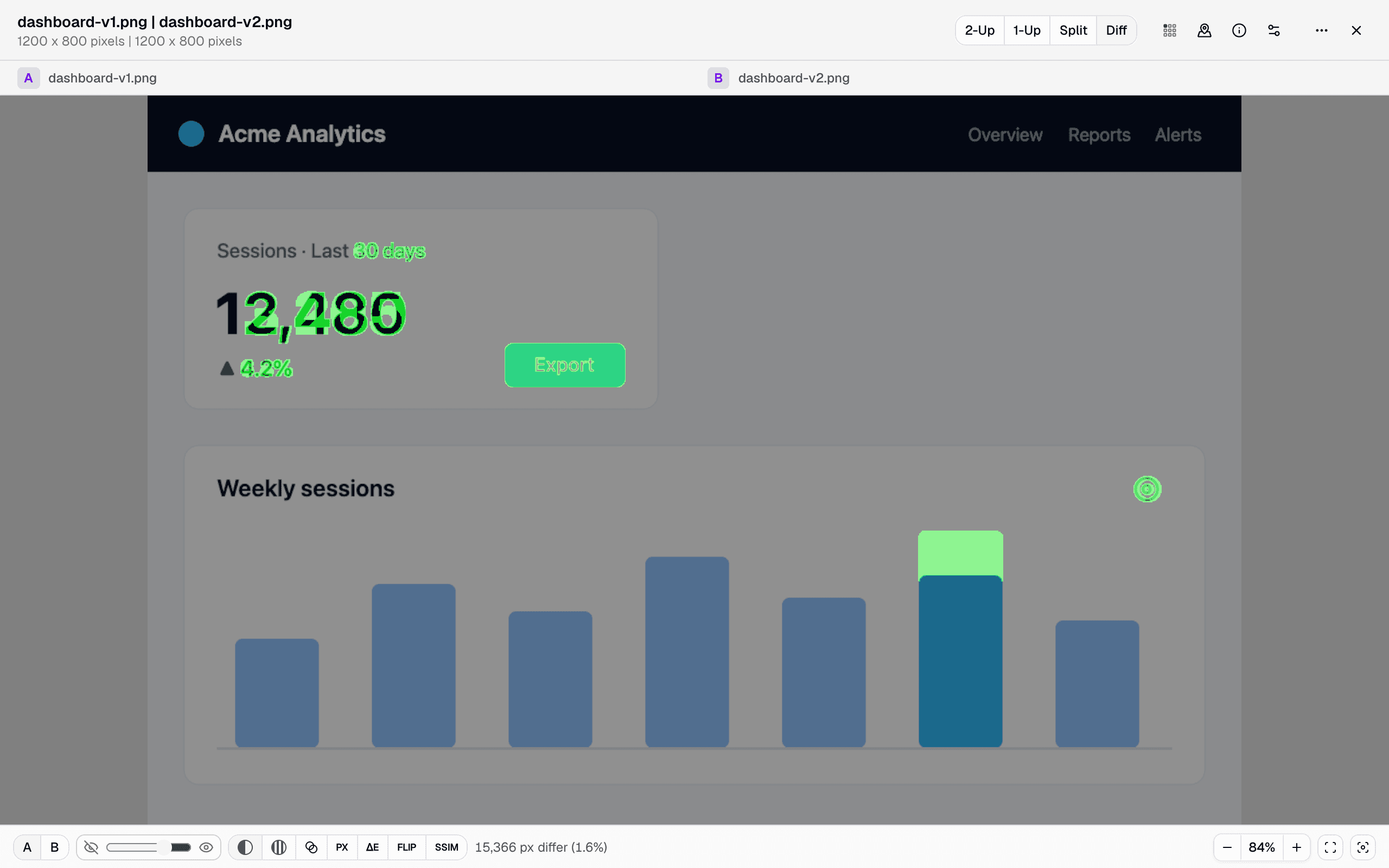
    Every engine answers a different question. Did any pixel change at all? — the strict pixel mode. Where did the colors drift, and by how much? — a color-difference heat map (ΔE00). Would a person actually notice? — a perceptual metric (NVIDIA's FLIP), tunable for viewing distance. Did the layout shift, not just the colors? — a structural map (SSIM). And two classic difference renders show the changes themselves: one raw, one amplifying faint differences until they're impossible to miss. A mean/max readout turns “looks the same” into a number.
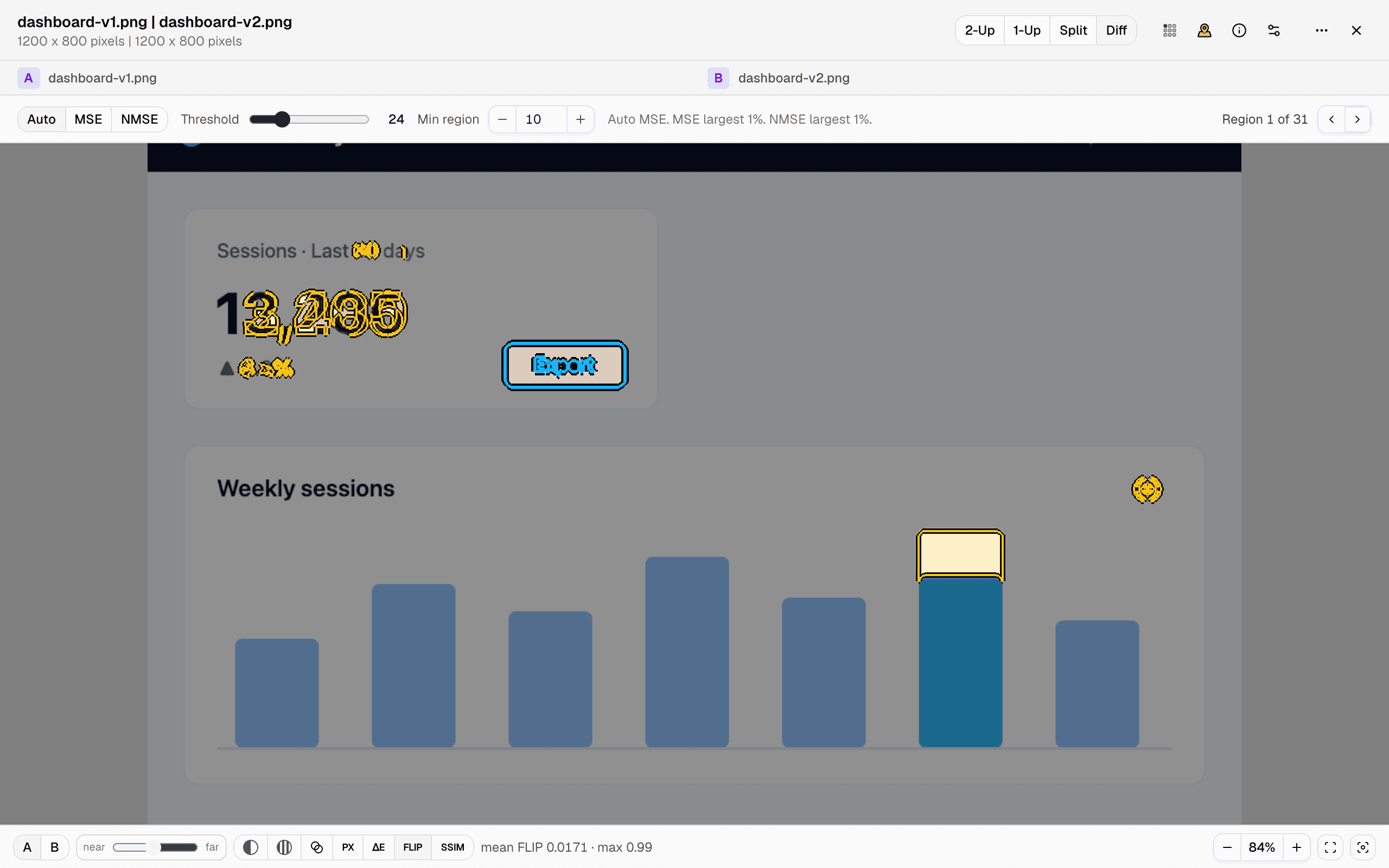
    The difference view running the FLIP engine: changed areas marked over a dimmed base image, with the engine picker and a mean-FLIP stats readout
  4. Metadata, compared too

    Two photos can be pixel-identical and still differ — the Info panel compares EXIF camera fields, exposure, GPS positions (including the distance between them), and color profiles side by side, with a one-click filter for just the differences.
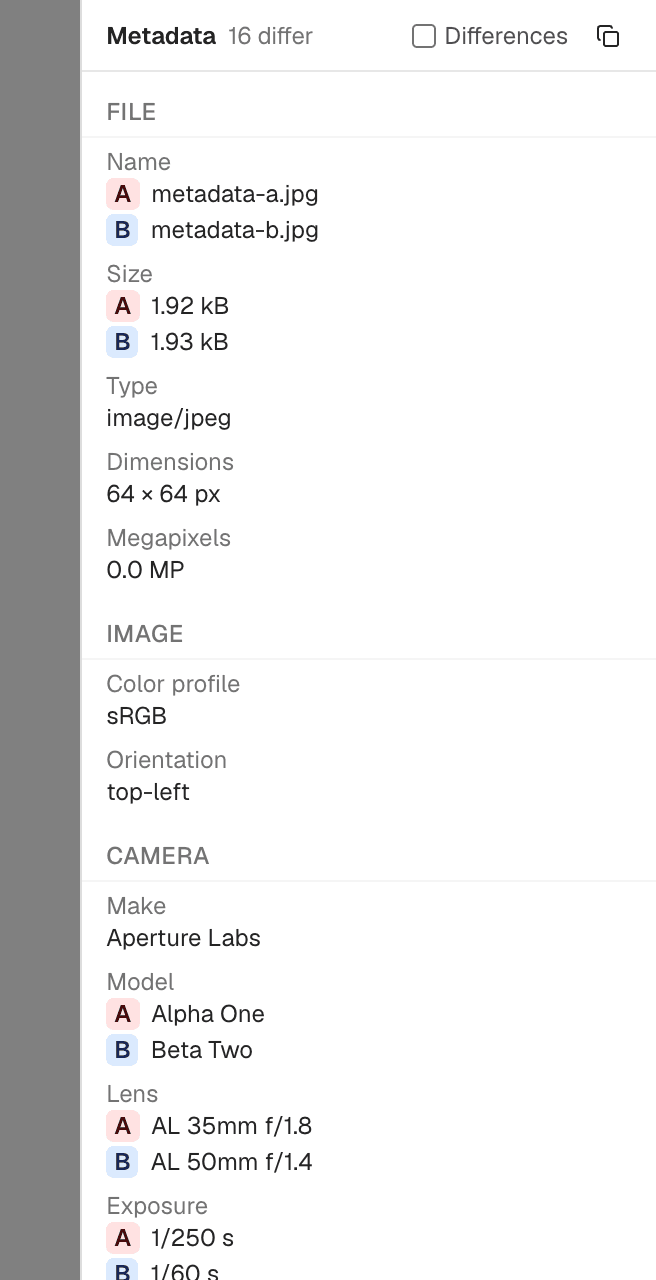
    The metadata panel comparing two photos: camera model, lens, and exposure differ between A and B
  5. Color-managed, wide-gamut, any format

    Everything is compared in a linear Display P3 working space on your GPU, so a P3 red and an sRGB red are the different colors they really are. PNG, JPEG, WebP, AVIF, GIF, HEIC, TIFF, and rasterized SVG all open — mixed formats, mismatched sizes, and even a @2x export against its @1x original with the scale-normalized mode.


How to compare two images?

  1. Open the free image comparison tool — current Chrome or Edge is the safe choice. It runs on your device, no signup.

  2. Click Choose Image A and pick the first image, then Choose Image B for the other one. PNG, JPEG, WebP, AVIF, GIF, HEIC, TIFF, and SVG all work — even mixed.

  3. Look at the pair your way: flip through the views, drag the split divider, or switch to the difference engines. Detected change regions are listed so you can step through them, and the Info panel compares the metadata.

Frequently asked questions

  1. Can I compare two images for differences?

    Yes — read the pair four ways: side by side in lockstep, blinking one image over the other, a split view with a draggable divider (vertical, horizontal, or diagonal), or a difference view that marks exactly the changed pixels. Zoom and pan stay synchronized everywhere.

  2. Can it find differences I can’t see?

    Yes. Pick the engine for your question: a heat map shows where colors drifted and by how much (ΔE00), a perceptual metric predicts what a person would actually notice at a given viewing distance (NVIDIA’s FLIP), a structural map highlights layout shifts (SSIM), and a difference render can amplify faint changes until they’re plainly visible. A mean/max readout turns “looks identical” into a number.

  3. Can I compare photo metadata (EXIF)?

    Yes. Camera fields, exposure, GPS (with the distance between the two positions), and color profiles are laid out side by side — with a filter that shows only what differs.

  4. Do different formats and sizes work?

    Yes. PNG, JPEG, WebP, AVIF, and GIF decode natively; HEIC and TIFF load through built-in decoders; SVGs are rasterized sharply. Different dimensions compare fine, and a scale-normalized mode lines up a @2x export against its @1x original.

  5. Are my files uploaded?

    No. The comparison runs entirely in your browser; file contents never leave your device.

  6. Can it edit my images?

    No — it’s deliberately a viewer. It shows you the differences; it never touches your files.

  7. How are the images compared?

    Both images are decoded color-managed into a linear wide-gamut working space (Display P3), so a P3 red and an sRGB red don’t fool it. The difference engines run on your graphics chip, so even large images compare instantly, and changed regions are detected in the background.

  8. Which browsers are supported?

    Chrome and Edge work today. Safari works on the latest macOS and iOS. Firefox isn’t there yet. The tool is built on WebGPU, a browser graphics capability that’s still rolling out — if your browser can’t run it, the app says so up front, before you pick any files.

Requirements

Current Chrome or Edge; Safari on the latest macOS and iOS. The tool is built on WebGPU, a graphics capability that's still rolling out — if your browser can't run it, the app tells you up front.

Privacy & Data Processing

Privacy and security aren't just something you should hope for — they're something you should expect. Modern browsers allow us to process everything directly on your device, which means we never upload, transfer, or share your files.

Your files stay completely private. All comparisons happen locally in your browser. Your data stays your business.

LeitmotifChristopher Atlan
+2

The team behind the tool

We're Leitmotif, a small company from the Alps — Carinthia, Austria and Bavaria, Germany. File comparison is what we do all day: we make Kaleidoscope, the Mac diff app, and diff.tools brings that experience to the browser.

We believe professional tools should be beautiful to look at and fun to use, while giving you all the power you need to get the job done. And we respect your files too much to ever upload them — everything here runs on your machine.

Feedback

We're constantly improving our free online image comparison to make it faster and more accurate. Share your feedback and help us understand what kind of images you compare.

Share this page

FacebookLinkedInRedditLINETelegramWhatsApp