See What Changed Between Two Text Files
TL;DR: Text Compare is a free online tool that shows the differences between two text or code files — side by side or unified, changed words highlighted — right in your browser, no signup, nothing uploaded or transferred.For code, configs, logs, or any two versions of the same file.
Start Comparing Text…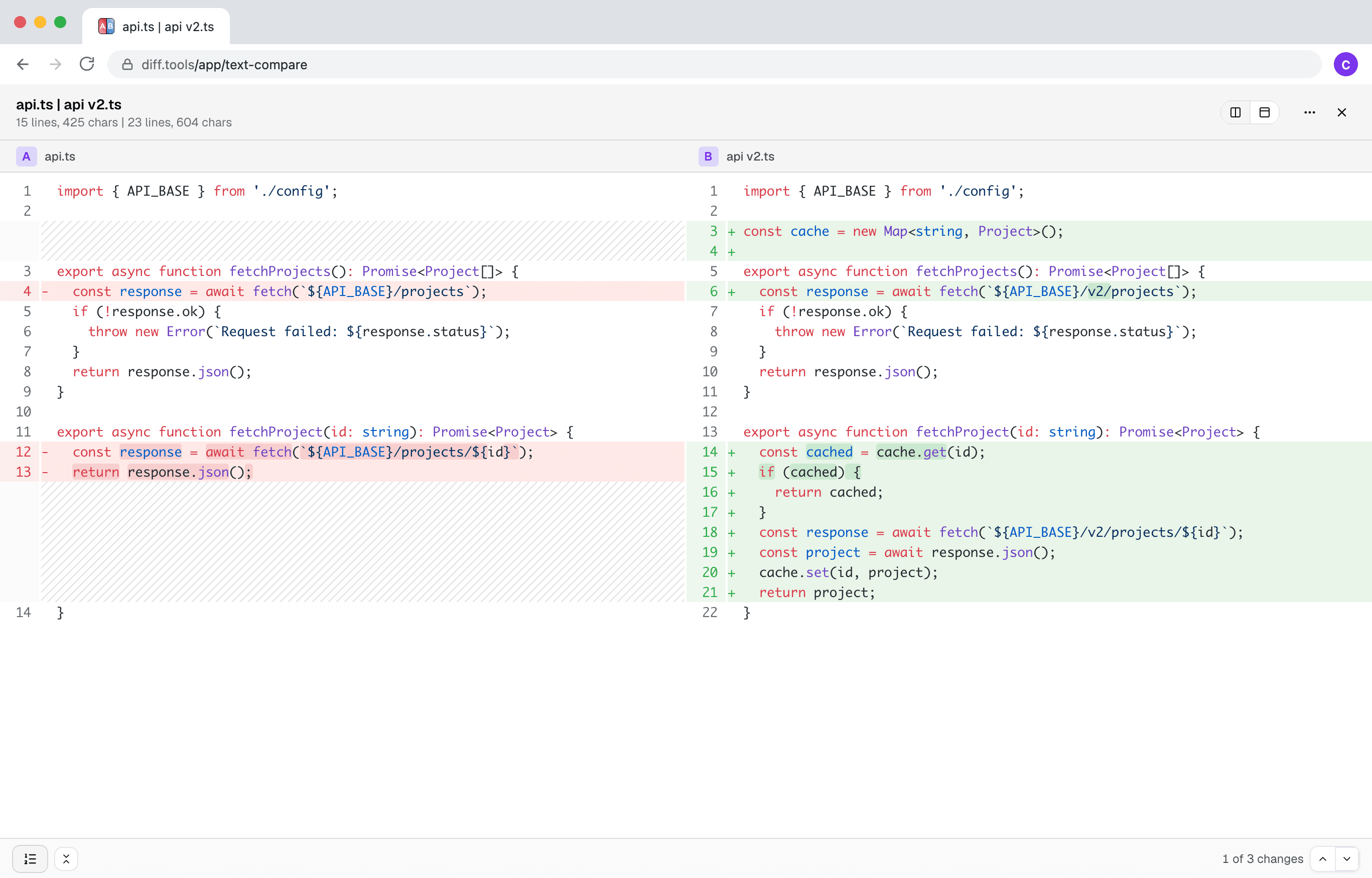

Built by Christopher Atlan at Leitmotif GmbH. Making file-comparison tools since 2020 — building software for over 18 years. diff.tools is one idea: a focused tool for each format, with results you can hand from one tool to the next.
A quick tour
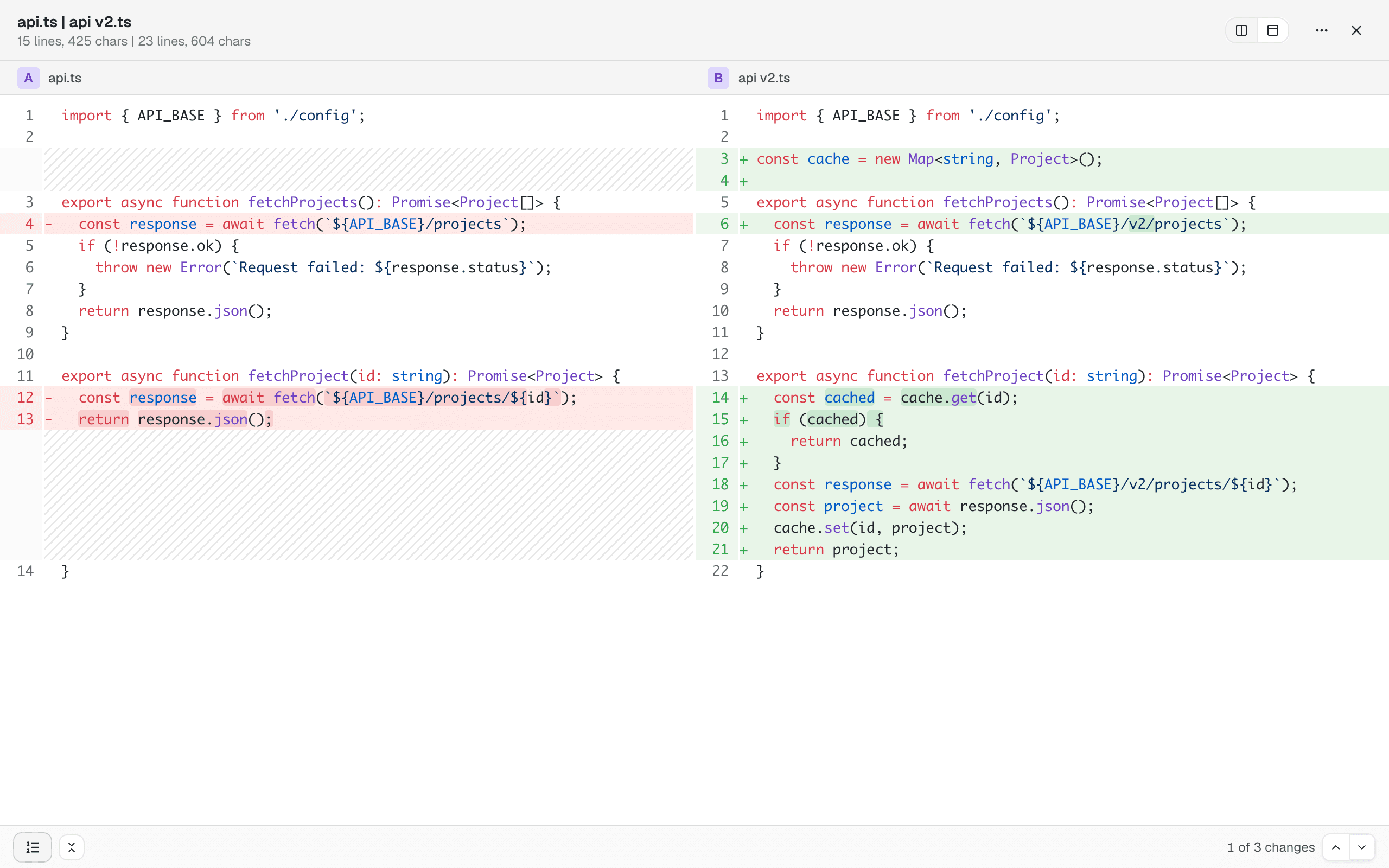
A diff you can actually read
Side by side or unified, with syntax highlighting and the changed words marked inside changed lines. Unchanged sections collapse out of the way, and previous/next buttons walk you through the changes one by one.
It reads formats, not just characters
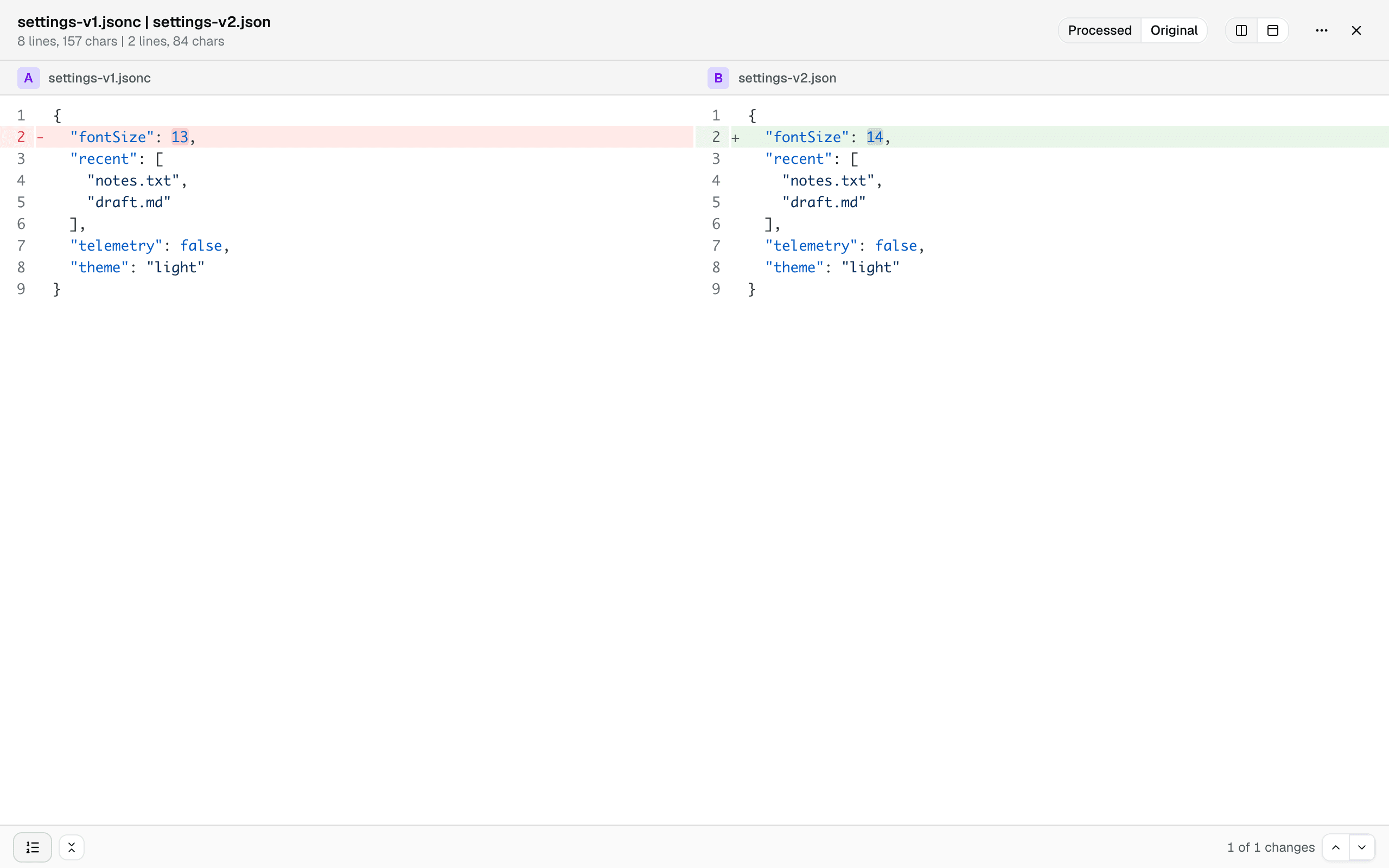
Config files rarely differ where it matters — they differ in formatting, key order, and comments. JSON, JSONC, JSON5, YAML, TOML, and XML are normalized before comparing, and binary plists become readable text, so the diff below shows the one real change between a commented JSONC file and its minified export. A toggle brings back the files exactly as they are.
Share it, or hand it off
A comparison survives a reload and can be shared as a link. And when a file turns out not to be text at all, one click hands the pair to Hex Compare for a byte-level look.