See What Changed Between Two Word Documents

TL;DR: Word Compare is a free online tool that shows the differences between two .docx files as a tracked-changes redline — insertions, deletions, moves, and formatting — right in your browser, no signup, nothing uploaded or transferred.Great for checking a revised contract, a returned draft, or two versions of a report.

Start Comparing Documents…
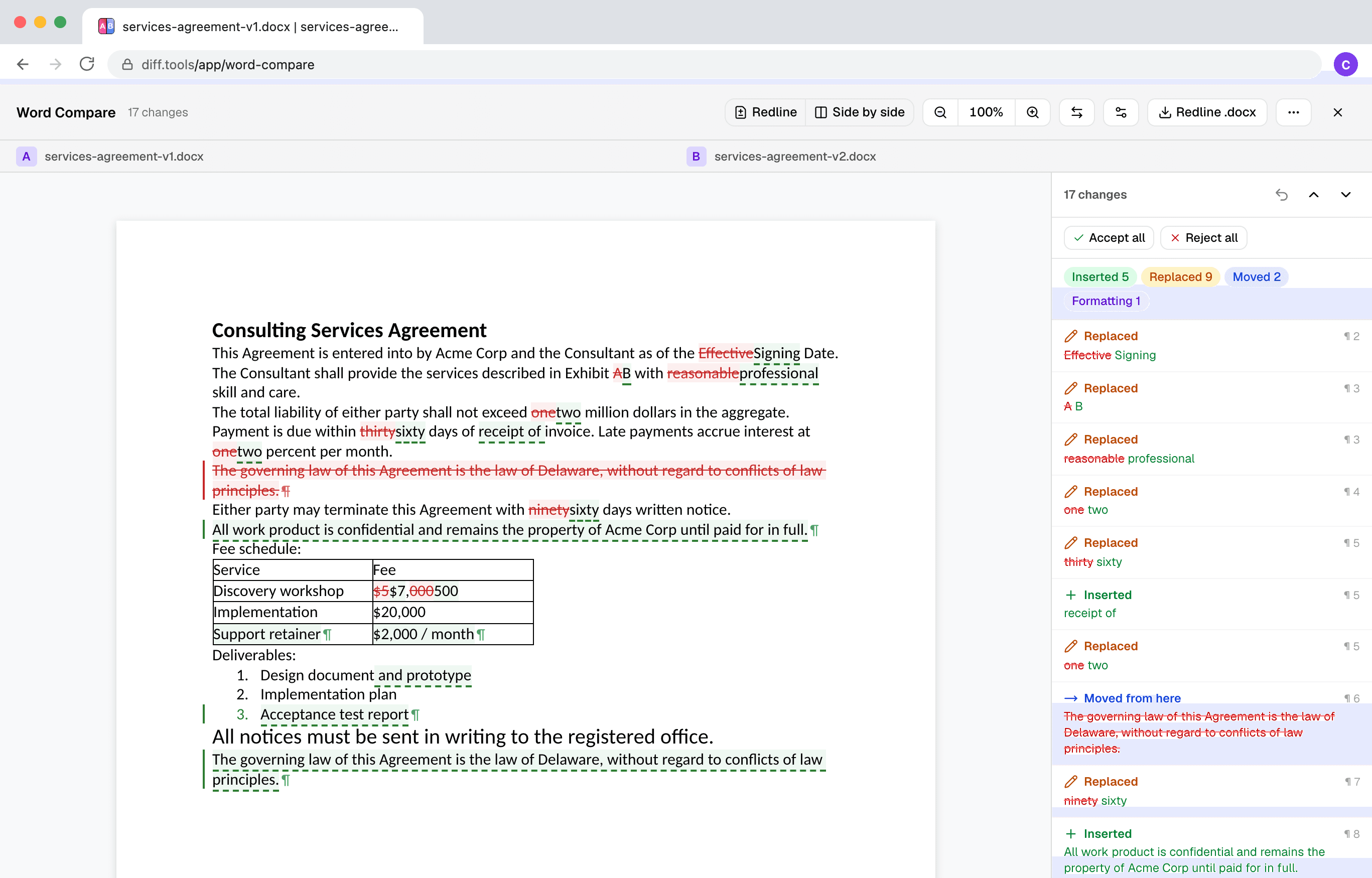
Screenshot of Word Compare
Christopher Atlan

Built by Christopher Atlan at Leitmotif GmbH. Making file-comparison tools since 2020 — building software for over 18 years. diff.tools is one idea: a focused tool for each format, with results you can hand from one tool to the next.

A quick tour

  1. One redline, every change tracked

    Drop two .docx files and get a tracked-changes redline: deletions struck through, insertions underlined, and a change list that steps you through every edit — including inside tables and lists.
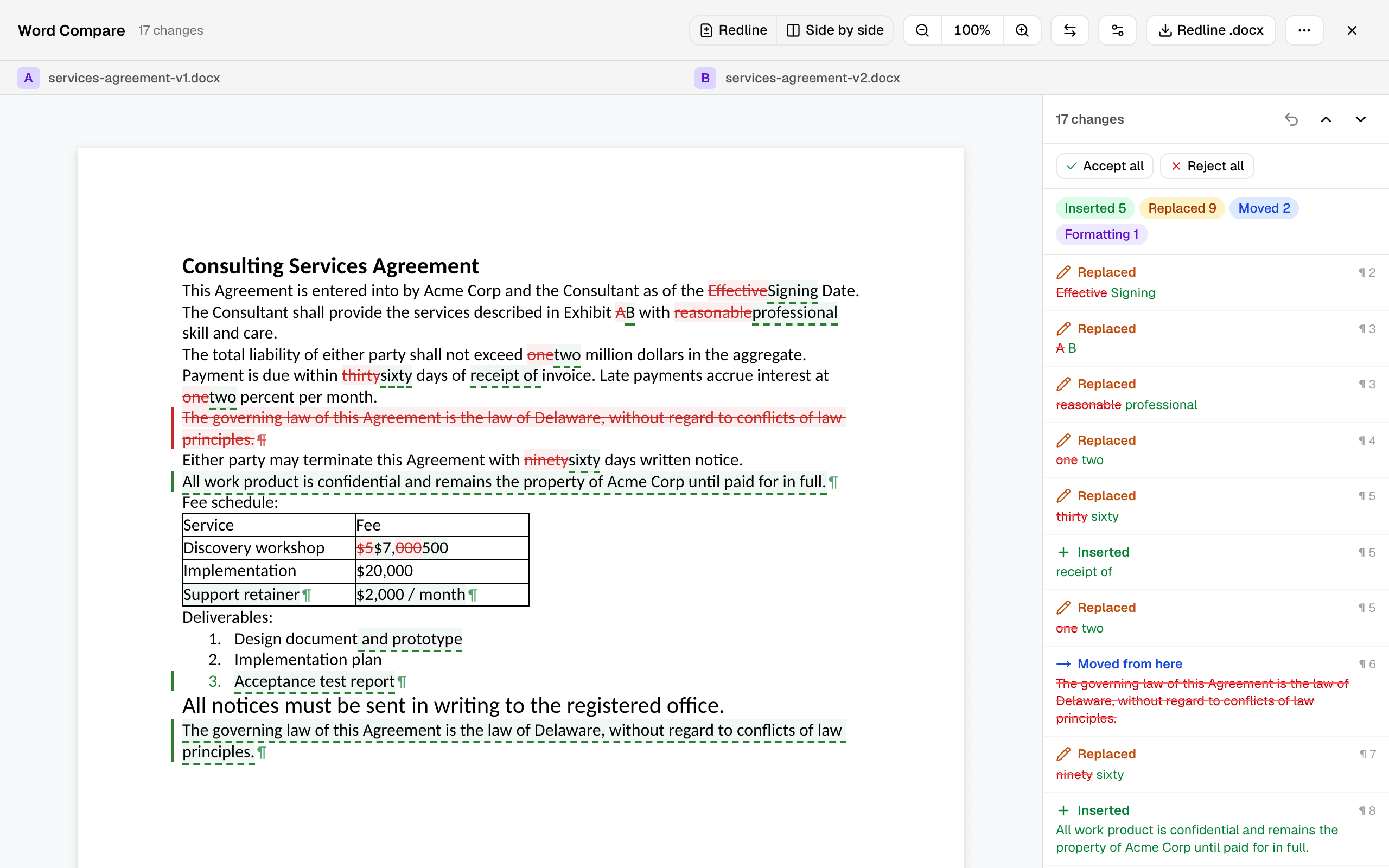
    Two versions of a services agreement compared as a tracked-changes redline with a change list
    Two revisions of a services agreement — every edit marked in place.
  2. Moves shown as moves

    When a paragraph moves, the redline says so: one linked change — moved from here, moved to here — instead of a puzzling deletion in one place and an insertion in another.
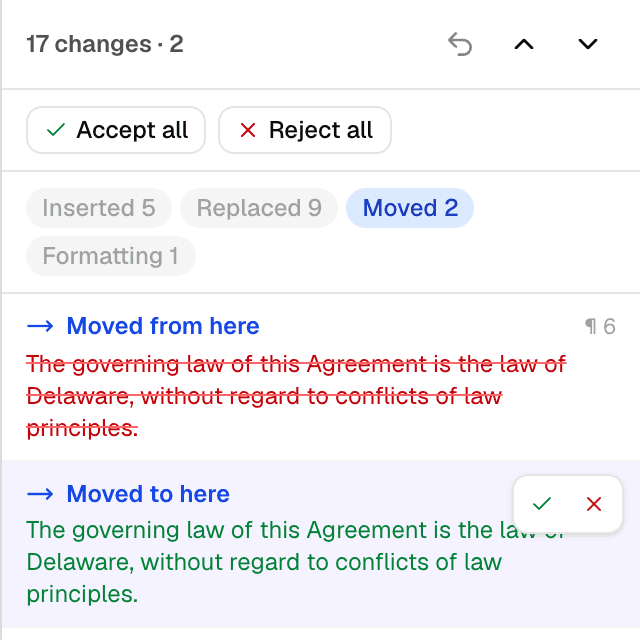
    The change list filtered to a moved paragraph: “Moved from here” and “Moved to here” as one linked change
  3. Triage the noise, decide each change

    The change list is grouped by kind — insertions, deletions, replacements, moves, formatting. Hide what you don't care about with one click, so a font tweak never buries a reworded clause. Then accept or reject each change, or all at once, with undo when you change your mind.
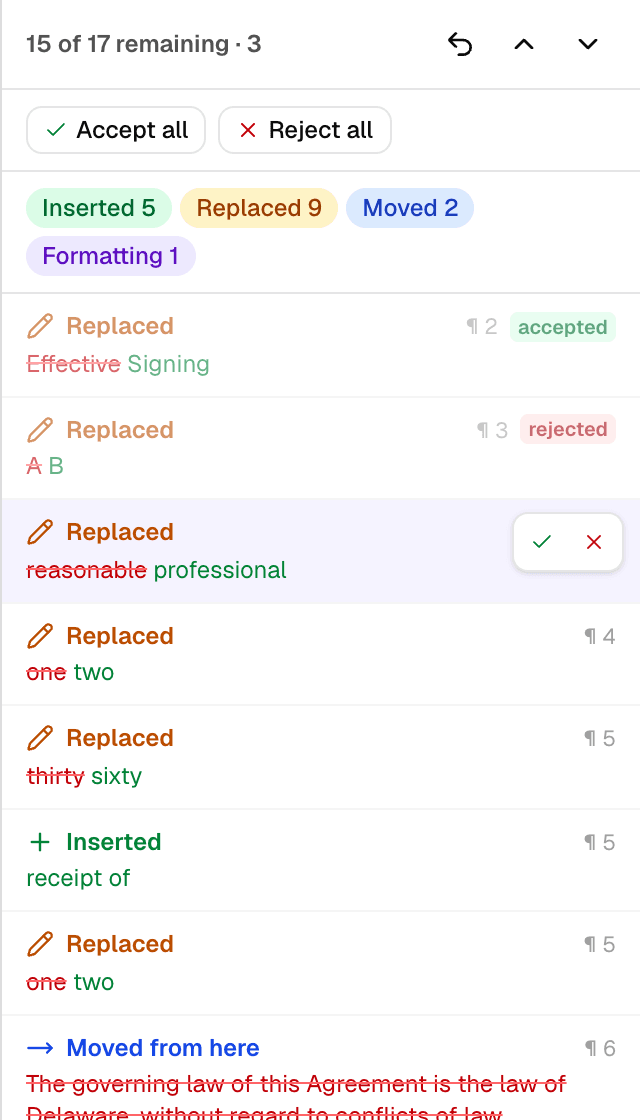
    The change list mid-review: accepted and rejected marks, kind filters, and accept/reject controls on the selected change
  4. Or read it side by side

    Prefer two pages over one markup? The same comparison in two panes — original on the left, revised on the right — with scrolling locked one-to-one so your eyes never lose the line.
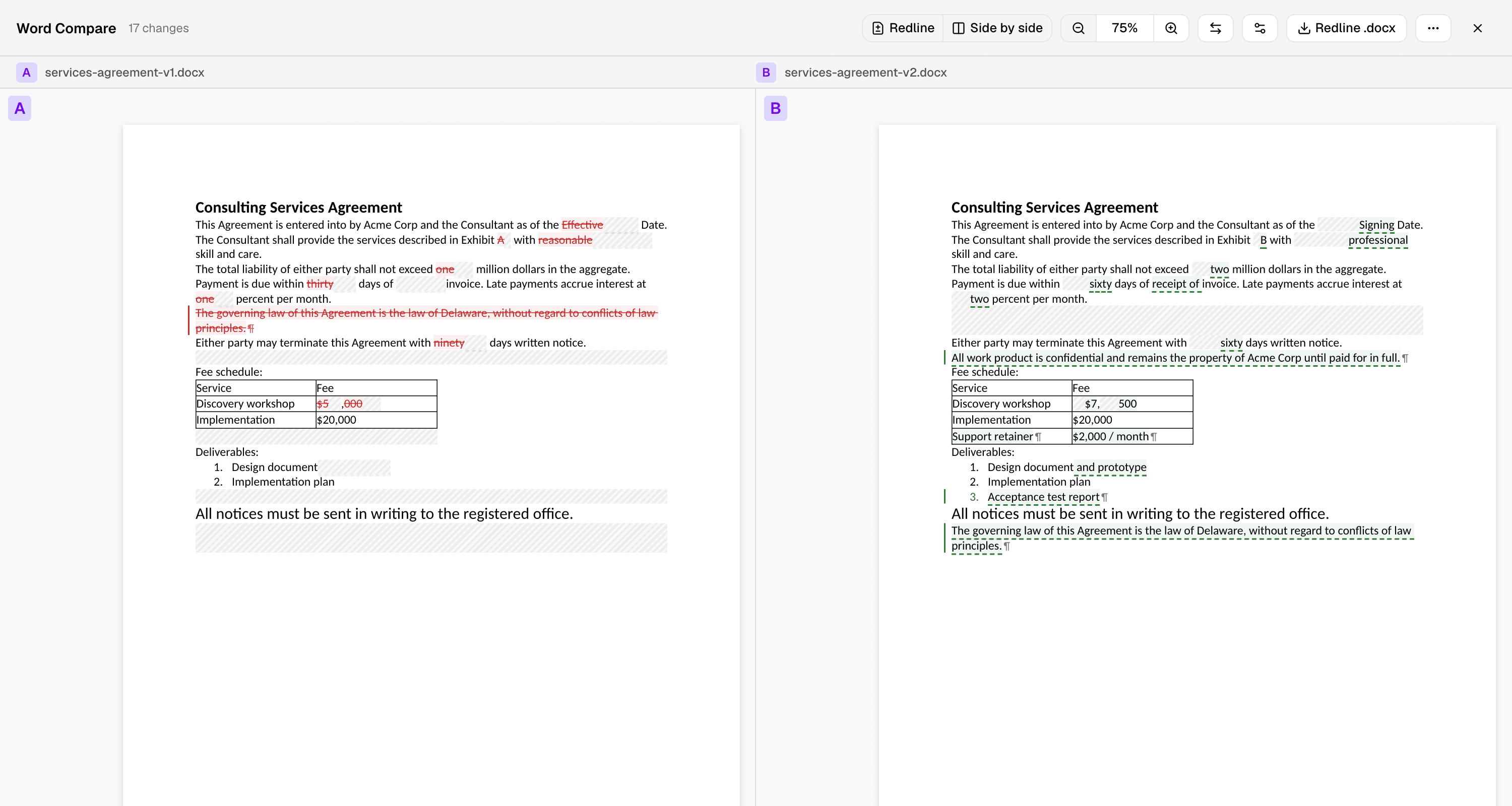
    The same comparison side by side: original document on the left, revised on the right
  5. Export a real redline .docx

    Download the comparison as a normal .docx with tracked changes. It opens in Microsoft Word — send it to someone who has never heard of this tool, and the review simply continues there.


How to compare two Word documents?

  1. Open the free Word comparison tool in any modern browser — it runs on your device, no signup.

  2. Click Choose Original and pick the earlier document, then Choose Revised for the newer version. The comparison starts automatically.

  3. Read the redline: deletions struck through in red, insertions underlined in green, moves marked as moves. Step through the change list, accept or reject each change, and download the result as a .docx with tracked changes.

Frequently asked questions

  1. Can I compare two Word documents for differences?

    Yes — pick two .docx files and every difference is shown as a tracked-changes redline: insertions, deletions, moved text, and formatting changes, with a change list to step through.

  2. Does it detect moved text?

    Yes. A paragraph that moved shows up as one linked move — “moved from here”, “moved to here” — not as a deletion in one place and an unrelated insertion in another.

  3. Can I accept or reject changes and save the result?

    Yes. Accept or reject each change individually or all at once — with undo — and download the result as a .docx with tracked changes that opens in Microsoft Word.

  4. Does it work without Microsoft Word?

    Yes. Nothing to install and no Office needed — comparing, reviewing, and exporting all run in your browser.

  5. Are my files uploaded?

    No. The comparison runs entirely in your browser; file contents never leave your device.

  6. Are headers, footers, and footnotes compared?

    Not yet — the comparison covers the document body. When those parts differ, the change list calls it out so you know to check them separately.

  7. How are the documents compared?

    Word Compare reads the actual structure of both documents — the same XML that Word saves — aligns paragraphs, tables, and lists, and writes the differences as standard tracked changes. The redline you get is a real Word redline, not a visual approximation.

  8. Which browsers are supported?

    Any current browser — Chrome, Edge, Safari, or Firefox.

Requirements

Any current browser — Chrome, Edge, Safari, or Firefox.

Privacy & Data Processing

Privacy and security aren't just something you should hope for — they're something you should expect. Modern browsers allow us to process everything directly on your device, which means we never upload, transfer, or share your files.

Your files stay completely private. All comparisons happen locally in your browser. Your data stays your business.

LeitmotifChristopher Atlan
+2

The team behind the tool

We're Leitmotif, a small company from the Alps — Carinthia, Austria and Bavaria, Germany. File comparison is what we do all day: we make Kaleidoscope, the Mac diff app, and diff.tools brings that experience to the browser.

We believe professional tools should be beautiful to look at and fun to use, while giving you all the power you need to get the job done. And we respect your files too much to ever upload them — everything here runs on your machine.

Feedback

We're constantly improving our free online Word comparison to make redlines faster and more accurate. Share your feedback and help us understand what kind of documents you compare.

Share this page

FacebookLinkedInRedditLINETelegramWhatsApp